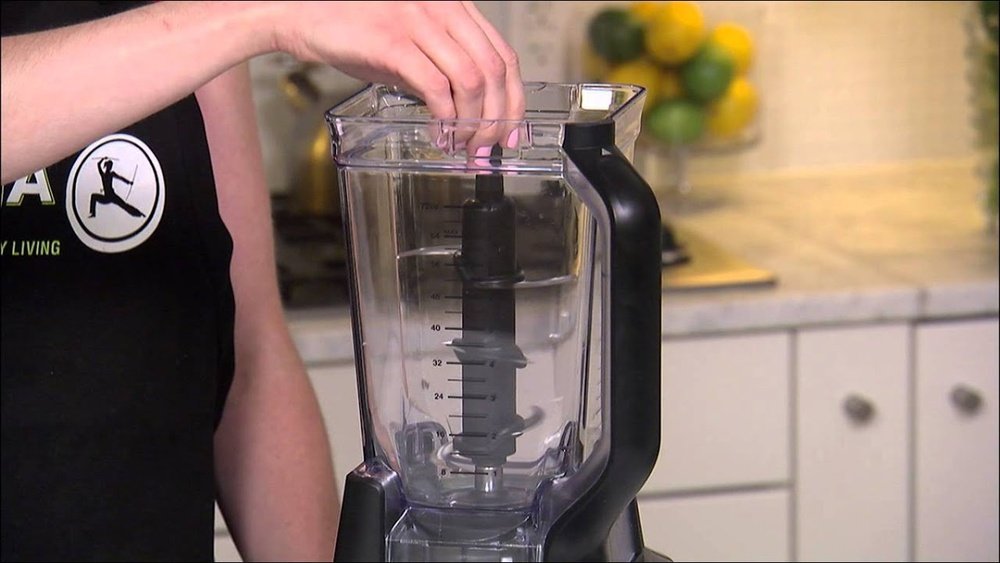
How Do I Start My Ninja Blender: Easy Steps for Beginners
Starting a new kitchen gadget can feel confusing, especially if you’re using a Ninja Blender for the first time. These blenders are powerful, reliable, and versatile—but they’re not always as simple as pressing a single button. Whether you’re aiming to make smoothies, crush ice, or blend soups, knowing how to start your Ninja Blender correctly matters. This guide will walk you through every step, from unboxing to blending, and will address common problems, cleaning tips, and safety advice. By the end, you’ll feel confident using your Ninja Blender to its full potential.
Understanding Your Ninja Blender
Before you plug in your Ninja Blender, it’s important to know which model you have. Ninja makes several types, like the Ninja Professional, Ninja Nutri-Blender, and Ninja Foodi. Each one has unique features, controls, and accessories.
Most Ninja blenders fall into three main categories:
- Countertop blenders (large pitchers, multiple speeds)
- Personal blenders (smaller, single-serve cups)
- Specialty blenders (with extra functions like heating or food processing)
Knowing your model helps you understand which parts you need, how the controls work, and what recipes are best for your blender. If you don’t know your exact model, check the sticker on the bottom or the manual that came in the box.
Key Features To Know
- Pitcher or cup: Where you put your ingredients.
- Blade assembly: The sharp, removable part that does the blending.
- Motor base: The heavy bottom part that powers the blades.
- Lid and spout: For safety and easy pouring.
- Control panel: Buttons or dials for different speeds and functions.
Unboxing And Setup
Taking your Ninja Blender out of the box is the first official step. Here’s what you should do:
- Unpack all pieces: Lay out the motor base, pitcher/cup, blade assembly, lid, and any accessories.
- Remove packaging: Take off all plastic, cardboard, and twist ties.
- Check for damage: Look for cracks or missing parts. If you find any, contact Ninja customer service before using the blender.
- Wash before use: Wash the pitcher, lid, and blades in warm, soapy water. Rinse and dry thoroughly. Do not submerge the motor base.
Many people skip the washing step, but it’s important. Manufacturing residue or dust can be present. A quick wash makes your first blend safer and tastier.
Assembling The Blender
Assembly is different depending on your model, but the basic steps are similar.
- Place the motor base on a flat, dry surface. Make sure it’s near a power outlet.
- Insert the blade assembly into the pitcher or cup. For pitchers, the blade usually sits in the center.
- Add your ingredients. Put liquids in first, then soft items, and finally hard or frozen items. This order helps the blades move smoothly.
- Secure the lid. Snap it tightly. On some models, the blender won’t run if the lid isn’t locked.
- Set the pitcher or cup on the base. Turn it until it clicks. Some Ninja blenders have safety interlocks—you’ll hear a click or see a light when it’s ready.
Here’s a quick comparison of assembly steps for three common Ninja models:
| Model | Blade Assembly | Lid Mechanism | Interlock System |
|---|---|---|---|
| Ninja Professional | Drop-in, center column | Snap-lock with spout cap | Base and lid must click |
| Ninja Nutri-Blender | Screw onto cup | No lid during blending | Cup must twist-lock |
| Ninja Foodi Blender | Fixed in pitcher | Locking lid, safety lever | All parts must align |
Plugging In And Powering Up
Once everything is assembled, you’re ready to plug in your blender.
- Plug the motor base into a grounded outlet (never use an extension cord).
- Check the power light or display. Most Ninja models show a light or display when ready. If nothing happens, check the assembly—some models won’t power up unless all parts are locked.
- If your blender has a control panel, make sure it’s not in “off” or “standby” mode.
Many beginners forget to check if the pitcher or cup is fully clicked into the base. If your blender won’t turn on, this is the most common reason.
Choosing The Right Settings
Ninja blenders have different controls depending on the model. Here’s a breakdown:
- Manual buttons: LOW, MEDIUM, HIGH, and PULSE. You choose the speed.
- Preset programs: Smoothie, Ice Crush, Puree, etc. The blender runs a set cycle for each.
- Dial controls: Turn to select speed or program.
Each function is designed for specific tasks:
- LOW: Mixing liquids, light blends (milkshakes, dressings)
- MEDIUM: Smoothies, soft fruits, sauces
- HIGH: Crushing ice, frozen fruit, harder vegetables
- PULSE: Short bursts for chopping, salsas, or thick mixtures
If you’re unsure, start with a lower setting. For best results, read your blender’s guide, but the above rules work for most Ninja models.
How To Start Blending
Once you’ve chosen your setting, you’re almost there. Here’s the step-by-step process to actually start your Ninja Blender:
- Double-check the assembly. Make sure the lid and pitcher/cup are locked.
- Select your desired setting or program.
- Press the START or ON button. The blender should begin running.
- Hold the cup down (for personal blenders only). Some require you to press and twist the cup to blend.
- Let the program finish or press STOP when you’re done.
For best results, don’t walk away from the blender. Watch to make sure everything is blending smoothly. If you see stuck ingredients, stop and shake the pitcher, or use a tamper if your model has one.
Here’s a side-by-side look at different starting methods for common Ninja models:
| Model | How to Start | Control Panel? | Common Mistakes |
|---|---|---|---|
| Professional | Press ON, then select speed | Yes | Lid not locked, pitcher not clicked in |
| Nutri-Blender | Press and twist cup down | No | Cup not aligned, blade not tight |
| Foodi | Select program, press START | Yes | Parts not aligned, lid lever not closed |
Practical Tips For First-time Users
Many people focus only on the basics, but there are practical tricks that make blending easier and your results smoother.
Add Liquids First
Always add liquids before solids. This helps the blades move and prevents air pockets. For smoothies, start with water, milk, or juice.
Don’t Overfill
Every Ninja Blender has a max fill line. If you go past it, the lid can pop off or the blender can leak. For frozen items, leave a little extra space.
Use Pulse For Chunky Blends
If you want salsa or chopped nuts, use the PULSE function. Short bursts keep the blend chunky and avoid turning everything into a puree.
Start Slow, Then Speed Up
If you’re blending tough ingredients, start on LOW and then move to HIGH. This protects the motor and creates a smoother texture.
Check For Leaks
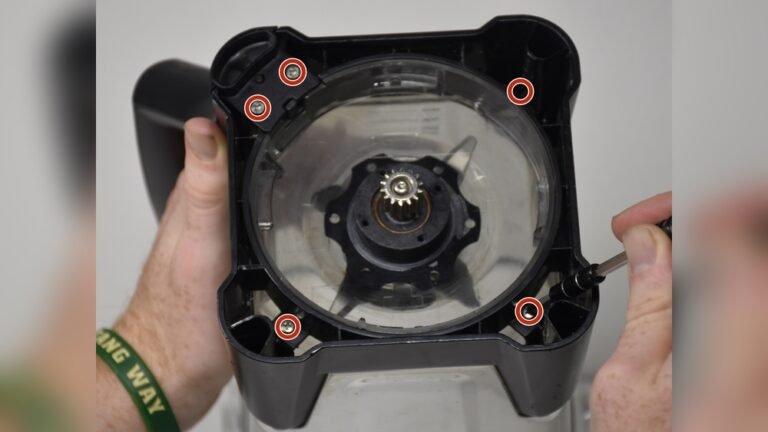
After the first few uses, check under the blender for leaks. Tighten the blade assembly if needed. Never run the blender with a loose blade.
Troubleshooting: Common Problems And Solutions
Even with careful setup, things can go wrong. Here are solutions to the most frequent beginner issues.
Blender Won’t Start
- Check assembly: Is the pitcher/cup clicked in? Is the lid locked?
- Power source: Try a different outlet.
- Overheated motor: Wait 15 minutes and try again.
- Interlock system: Some models won’t start if even one part is loose.
Blades Aren’t Spinning
- Too many ingredients: Remove some and try again.
- Blade jammed: Unplug and check for stuck food or ice.
- Blade assembly not tight: Re-seat the blades.
Blender Stops Midway
- Overheating: Let the blender cool down.
- Overload protection: Remove some food and restart.
- Loose lid: Secure the lid tightly.
Leaks
- Blade assembly loose: Tighten it before blending.
- Cracks in pitcher/cup: Replace damaged parts.
- Overfilled: Never go over the max fill line.
Odd Smells Or Smoke
- Overloaded motor: Too many hard items at once.
- Running too long: Most blenders should run in short bursts (under 1 minute).
- Dirty motor base: Unplug and wipe with a dry cloth.
If you still have issues after these steps, contact Ninja support or visit their official troubleshooting page.
Credit: www.ifixit.com
Cleaning Your Ninja Blender
Proper cleaning keeps your blender working well and your food safe. Here’s how to do it:
- Unplug the blender after use.
- Remove the pitcher/cup and blade assembly. Be careful—blades are sharp.
- Wash blades, pitcher, and lid in warm soapy water. Use a brush for stuck food.
- Rinse and dry. Let all parts air dry before reassembling.
- Wipe the motor base with a damp cloth. Never submerge it.
Many Ninja blender parts are dishwasher safe (top rack only), but always check your manual first.
Deep Cleaning Tip
If your blender smells or has stuck-on food, blend a mix of water, a drop of dish soap, and a little vinegar for 30 seconds. Rinse well.
Safety Precautions
Ninja blenders are powerful—this means you need to use them safely.
- Never touch blades with your fingers. Always use the handle or a brush.
- Do not run the blender empty. This can damage the motor.
- Unplug before cleaning or when changing blades.
- Never put hot liquids in a standard Ninja Blender unless it’s designed for that. Steam can build up and cause burns.
- Keep hands and utensils out while blending. Use the tamper or a spoon only when the blender is off.
Creative Ways To Use Your Ninja Blender
Blending isn’t just for smoothies. Here are other ideas to get the most out of your Ninja Blender:
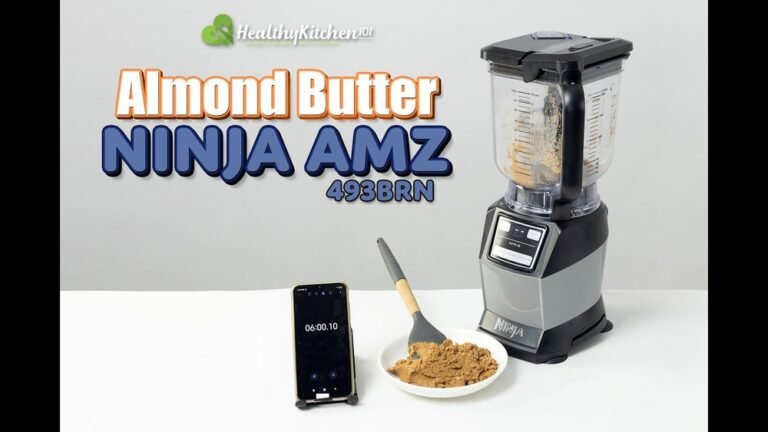
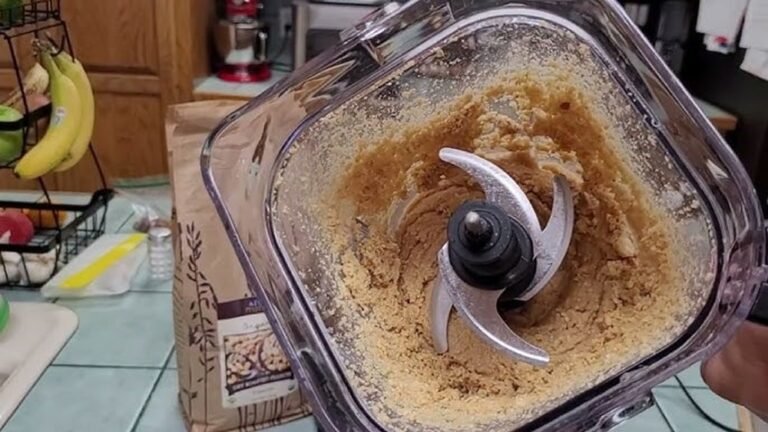
- Nut butters: Blend roasted nuts for creamy spreads.
- Soup: Puree cooked vegetables and broth (cool first).
- Dips and sauces: Make hummus, pesto, or salsa.
- Crushed ice: For cocktails or slushies.
- Batter: Pancakes or waffles with less mess.
- Baby food: Puree fruits and vegetables for homemade meals.
- Grinding grains: Some models can turn oats into flour.
Remember, always check if your model can handle hot foods or dry grinding.
Ingredients And Recipe Ideas For Beginners
You don’t need fancy ingredients to start with your Ninja Blender. Here are a few simple recipes and their proportions:
Classic Fruit Smoothie
- 1 cup milk (or juice)
- 1 banana
- 1/2 cup berries (fresh or frozen)
- 1/2 cup yogurt
- 1 handful ice cubes
Blend on MEDIUM for 45 seconds.
Green Veggie Smoothie
- 1 cup water
- 1/2 cup spinach
- 1/2 cucumber
- 1 apple, chopped
- 1/2 lemon, juiced
- 1 handful ice
Start on LOW, then move to HIGH for 1 minute.
Simple Salsa
- 2 ripe tomatoes, chopped
- 1/4 onion
- 1/2 jalapeño pepper
- 1/4 cup cilantro
- Pinch of salt
Pulse 4-5 times until chunky.
Comparing Ninja Blender Models
If you’re just starting or looking to upgrade, here’s a quick comparison of popular Ninja blenders:
| Model | Pitcher Size | Power (Watts) | Best For | Dishwasher Safe |
|---|---|---|---|---|
| Ninja Professional 1000 | 72 oz | 1000 | Families, ice crushing | Yes |
| Ninja Nutri-Blender Pro | 24 oz (cup) | 900 | Single servings, smoothies | Yes |
| Ninja Foodi Hot & Cold | 64 oz | 1400 | Soups, sauces, hot blends | Yes |
| Ninja Compact System | 48 oz | 1200 | Multi-function, small kitchens | Yes |
Non-obvious insight: Some Ninja blenders have smart sensors that prevent them from starting if even one piece is misaligned. If your blender seems “dead,” double-check the lid and pitcher position—even a tiny misalignment can stop the motor.
Maintenance And Long-term Care
Taking care of your Ninja Blender means it will last longer and blend better.
- Inspect the blade assembly regularly for wear or dullness.
- Replace rubber seals if you notice leaks.
- Keep the air vents clean on the motor base—dust can cause overheating.
- Avoid blending sticky or thick doughs (unless your model allows it), as these can strain the motor.
If you need replacement parts, always buy from the official Ninja website or trusted retailers. Knock-off parts may not fit or could be unsafe.
Upgrading Or Adding Accessories
You can make your Ninja Blender even more useful with accessories:
- Extra cups and lids for quick smoothies
- Dough hooks or paddles for baking (on compatible models)
- Tamper tools for thick blends
- Replacement blades and gaskets for maintenance
Check your model’s compatibility before buying. If you want to compare accessories, the official Ninja website has guides and compatibility charts.
How To Store Your Ninja Blender
Proper storage saves space and protects your investment.
- Store the motor base in a dry place, unplugged.
- Keep the blades inside the pitcher to avoid cuts.
- Do not stack heavy items on top of the blender.
- If storing long-term, wrap the cord neatly and cover the blender to keep dust out.

Credit: www.wikihow.com
Environmental Considerations
If you care about the environment, you’ll be happy to know most Ninja blenders are energy efficient. You can further reduce energy use by:
- Only blending as long as needed
- Unplugging the blender when not in use
- Recycling packaging after unboxing
If you ever need to dispose of your blender, check local recycling programs. Many parts can be recycled, and some communities accept small appliances as e-waste.
When To Call For Help
If your Ninja Blender is still not working after trying all troubleshooting steps, call Ninja customer service or visit their official support page. Have your model number, purchase date, and a description of the problem ready. Most models come with a 1-year warranty (or more for premium models).
For more information on Ninja’s warranty and support, visit the official Ninja Kitchen Support page.

Credit: www.youtube.com
Frequently Asked Questions
Why Won’t My Ninja Blender Start?
Most likely, one part is not fully clicked or locked in place. Double-check the pitcher, lid, and blade assembly. Also, make sure the blender is plugged in and the outlet is working.
Can I Blend Hot Liquids In My Ninja Blender?
Only if your blender is designed for hot blends (like the Ninja Foodi Hot & Cold). For regular models, wait until liquids cool to room temperature. Hot liquids can build up steam and cause the lid to pop off, which is dangerous.
How Do I Clean The Blade Safely?
Always unplug the blender first. Remove the blade assembly and use a brush or cloth. Never touch the blades directly, as they are very sharp.
My Blender Smells Like Burning—what Should I Do?
Stop using it immediately. Unplug the blender, let it cool, and check for stuck food or overloading. If the smell returns, contact Ninja support.
Where Can I Find Replacement Parts?
You should buy blades, pitchers, and seals only from the official Ninja website or trusted retailers. This ensures safety and a proper fit.
Starting your Ninja Blender is easy once you know the steps and common mistakes to avoid. With a little practice, you’ll unlock dozens of recipes and uses, making your kitchen experience smoother and more enjoyable. Remember, always follow safety instructions, clean your blender after use, and don’t hesitate to ask for help if you need it.
Happy blending!