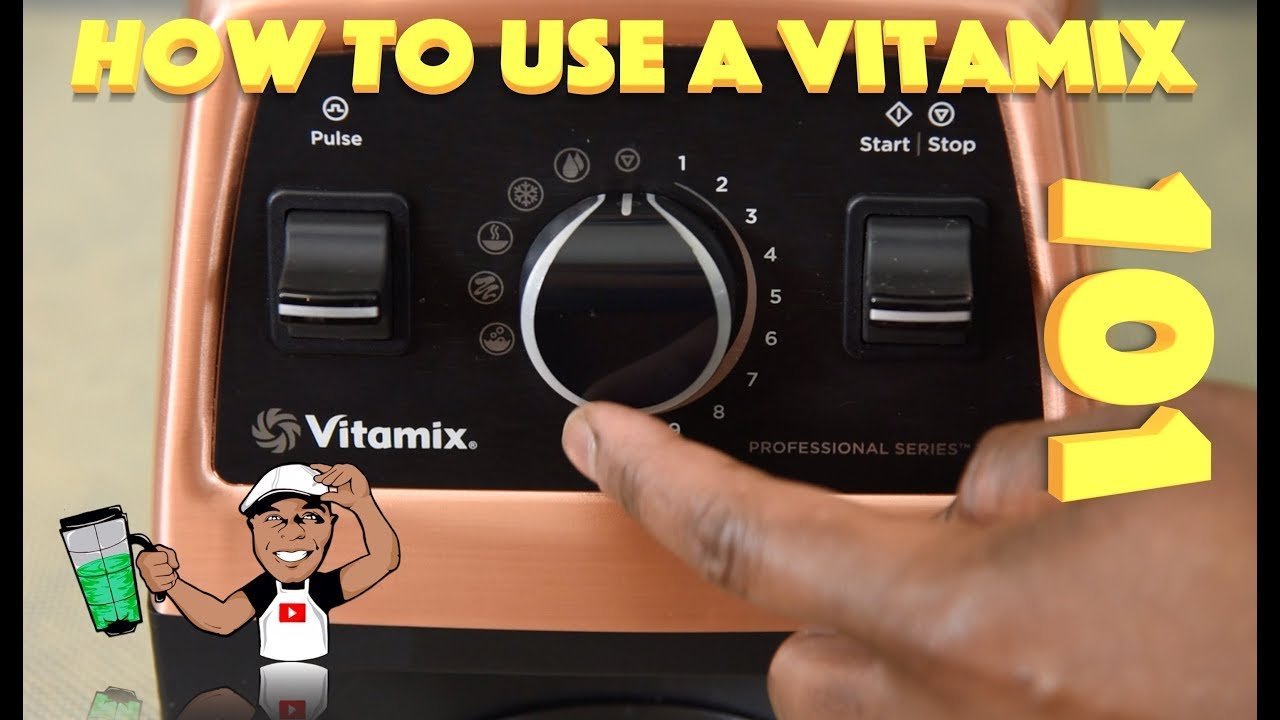
How To Turn On A Vitamix Blender: Simple Power Button Steps
The Vitamix blender turns on with a single press of the power button — no twist, no hold, no sequence. It starts at Variable 1 unless you’ve set a preset program, and stops instantly when you release the button or press Stop. This assumes your model is plugged in, the container is locked correctly, and the safety interlock is engaged — if any of those are missing, the motor won’t start, even with the button pressed.
What changes that simple action is your model (older C-series vs. newer Ascent or Venturist), whether you’re using a preset program or manual controls, and whether your container is fully seated and twisted into place. Those three things decide whether pressing the button does anything at all.
Who Needs This Guide Most
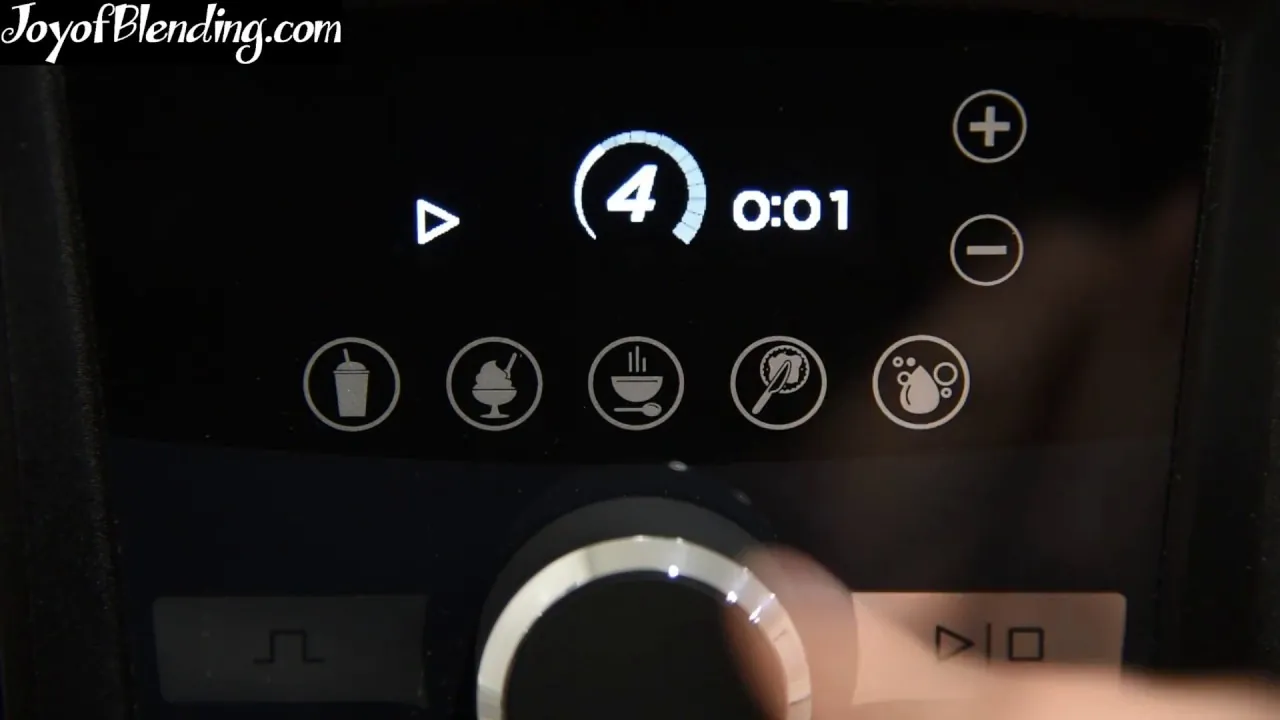
If you just unboxed your first Vitamix and see a smooth panel with no obvious switch, you’re in the right place. You need clear confirmation of what should happen when you press the button, and what to check if nothing does.
A second reader might own a Vitamix for years but only uses the pre-programmed buttons. They’re not sure how to override them or why Variable 1 sometimes feels sluggish. They need to understand the difference between “on” (motor running) and “active” (motor responding to input), and how container fit affects both.
A third reader has tried everything — pressed, held, twisted, unplugged — and still gets no response. They may have a faulty interlock, damaged base, or incompatible container. This guide serves the first two readers best. If your blender shows no lights at all when plugged in, or beeps five times with no motor response, you’ll need Vitamix support — not this page.
The rest of this article assumes you’re using a standard Vitamix container (64 oz low-profile or 48 oz tall) on a compatible base (C-Series, G-Series, Ascent, Venturist, or Explorian), and that the unit is plugged into a working outlet.
What Makes It Start or Stall
The biggest thing that decides whether your Vitamix turns on is container alignment. Vitamix bases have a safety interlock that only closes when the container’s locking tabs click fully into the grooves on the base and the handle faces forward. If it’s off by even 2 mm, the motor stays silent — no warning, no beep, no light change. This is the #1 reason people think their blender is broken.
Second is power delivery. Vitamix motors draw up to 1,440 watts at peak. If your outlet shares a circuit with a fridge, microwave, or space heater, voltage drop can cause the base to flash red or refuse to start. Try plugging directly into a wall outlet on its own circuit — not a power strip or extension cord.
Third is firmware or mode state. Ascent and Venturist models remember the last-used program. If you ended on Clean mode, the next press of the power button restarts Clean — not Variable 1. You’ll see the display light up, but no motor spin until the cycle begins. Reset it by holding Stop for 3 seconds until the display clears.
Fourth is container type. Vitamix officially supports only Vitamix-branded containers. Third-party or older discontinued models (like the old “dry blade” jar without the center post) may not trigger the interlock. Check the bottom of your container: it must have three raised plastic tabs and a central post that fits snugly into the drive socket.
Fifth is temperature lockout. If the motor housing exceeds 158°F (70°C) from back-to-back use, the unit shuts down automatically and displays a red “HOT” icon. It won’t turn on again until it cools — usually 15–30 minutes, depending on room temperature and airflow.
How To Turn On A Vitamix Blender
- Plug the base into a grounded 120V outlet — not through a surge protector or extension cord.
- Place the container on the base, aligning the handle with the front logo, then press down firmly while twisting clockwise until you hear or feel two distinct clicks.
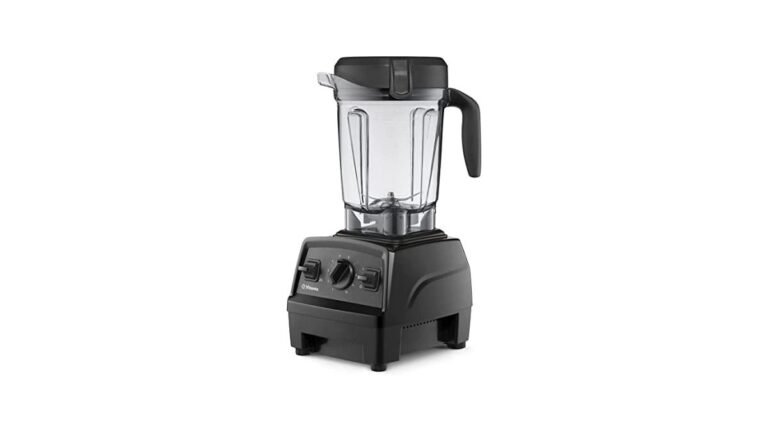
- Press the Power button once — it’s the large circular button below the display (or top-left on older C-Series). The display will light up, and the motor will begin spinning at Variable 1.
- If using a preset program (Smoothie, Soup, etc.), press the corresponding button instead of Power — no need to press Power first.
- To stop, press Stop, or simply release the Power button if you’re using Variable speed.
- If nothing happens, check the container alignment again — lift it slightly, re-seat, and twist until both clicks occur. Don’t force it.
- If the display lights but the motor doesn’t spin, wait 5 seconds and press Power again — some models require a brief pause after boot-up.
- If the base flashes red or beeps, unplug for 10 seconds, then repeat steps 1–3.
The single judgement call that separates a proper start from a false one is hearing the motor engage, not just seeing the light. A true start includes a low hum and visible blade movement within half a second. If you see light but no sound or motion after two full seconds, realign the container — don’t assume the clicks were enough.
The Variations At A Glance
| Situation | What to do | What it takes | What to watch for |
|---|---|---|---|
| New Ascent A3500 | Press Power once; no hold needed | 2 seconds, no extra steps | Display shows “Pwr” before motor spins |
| Older C-Series (no display) | Press and hold Power for 1 second | Slight delay, then hum | No light — rely on sound and vibration |
| Using Dry Blade container | Align tab notch with base mark, twist until firm stop | Extra pressure required | Blade must spin freely — if stiff, container isn’t seated |
| After cleaning cycle | Wait for “Clean” to finish, then press Power | Up to 90 seconds cooldown | Red “HOT” icon means wait — don’t restart |
| Preset program active | Press Smoothie/Soup button directly | Same as Power press | Motor starts automatically — no Variable control until Stop |
| Explorian E310 (budget model) | Press Power, then immediately dial up to Variable 1 | Dial must move within 3 sec | If dial stays at 0, motor won’t run — move it fast |
What Separates A Good Result From A Poor One
Container Seating Is Non-Negotiable
Experienced users lift the container slightly before twisting — they don’t just press and hope. They listen for two clicks, not one, and verify by gently trying to lift the container upward (not sideways) — if it lifts even 1 mm, it’s not locked. Beginners often twist hard until it feels tight, but miss the second click because the handle isn’t aligned with the logo. That tiny misalignment breaks the interlock circuit.
Timing Matters More Than Force
On Ascent and Venturist models, the Power button must be pressed after the display finishes booting (about 1.5 seconds after plugging in or waking from standby). Press too soon, and the base ignores it. Experienced users wait for the soft white glow to stabilize across the whole display before touching any button. Beginners press repeatedly during boot-up, which can trigger error modes instead of startup.
What Goes Wrong, And What To Do
| What you notice | What it usually means | What to do first | How to stop it happening again |
|---|---|---|---|
| No lights, no sound | Unit not receiving power | Check outlet with another device | Use only grounded outlets — never power strips |
| Lights on, no motor spin | Container misaligned | Lift, re-seat, twist until two clicks | Mark handle position with tape if alignment is tricky |
| Beeps 5 times rapidly | Interlock failure or damaged sensor | Unplug, wait 10 sec, retry | Never force container — replace if tabs are cracked |
| Motor starts then stops in 2 sec | Overheating or overload | Let cool 20 min; reduce ingredient volume | Don’t fill past “max fill” line — especially with thick blends |
| Display shows “HOT” | Thermal shutdown | Wait until icon disappears | Run shorter cycles with 30-sec rests between |
Safety And Certification Rules
Vitamix blenders are designed for safe operation under normal household conditions. Automatic thermal cutoff activates at 158°F (70°C), which is why the “HOT” icon appears. The FDA doesn’t regulate home blenders, but Vitamix follows NSF/ANSI 18 food equipment standards for materials in contact with food.
All Vitamix models sold in the US must meet FCC Part 15 rules for electromagnetic interference — meaning they won’t disrupt Wi-Fi or phones when used as directed. If your model was purchased outside the US (e.g., a UK-spec Ascent A3500), it may not comply with US voltage or safety labeling laws. Check the rating plate on the bottom of the base: it must say “120V ~ 60Hz”.
Vitamix doesn’t approve or test third-party containers, blades, or adapters. Using them voids the warranty. If your container lacks the Vitamix logo and three locking tabs, it isn’t intended for use — even if it fits.
What It Costs You
Turning on a Vitamix requires no extra cost beyond the few seconds needed to seat and press — if everything is working and aligned. What adds cost is misalignment: each failed attempt wastes troubleshooting time, and repeated forcing can crack the container’s locking ring. Using an unsupported container risks motor damage, which may lead to expensive repairs.
Time cost rises sharply if you’re on a shared circuit: voltage drop may mean unplugging the fridge or microwave first — adding 2–3 minutes of prep. For commercial kitchens, UL requires a dedicated 20-amp circuit for any appliance drawing over 1,000 watts. Home users rarely need that, but if your breaker trips during startup, that’s your sign.
The real cost isn’t money — it’s confidence. That’s the hidden cost: unused capacity.
Keeping It Ready To Go
After each use, wipe the base’s control panel with a damp cloth — never spray cleaner directly onto it. Let the container air-dry upside-down on a rack; moisture trapped under the rubber gasket can warp the locking mechanism over time.
The interlock sensor doesn’t need cleaning, but the groove on the base where the container tabs sit collects dried residue. Inspect that groove regularly with a flashlight. If you see buildup, wipe it with a cotton swab dipped in vinegar — not water, which leaves film.
There’s no scheduled maintenance for the power button or interlock. But if you notice the button feels spongy, delayed, or requires more pressure than before, stop using it. That’s an early sign of internal switch wear — contact Vitamix support before it fails completely.
When This Is The Wrong Approach
If your Vitamix displays “ERR” or flashes red five times after correct seating and power, the issue is internal — not user error. Don’t keep pressing buttons or disassembling the base. Capacitors inside can hold a lethal charge even when unplugged. This is technician-only work.
If you’re using a Vitamix in a commercial kitchen with daily heavy use, startup reliability depends on routine calibration — something home guides don’t cover. Contact Vitamix Commercial Support for service plans.
If your model is older and the motor whines or vibrates abnormally on startup, the bearing assembly may be failing. Replacement parts exist, but labor costs often exceed the value of the unit. At that point, upgrading is safer and cheaper than repair.
Related guides
- How To Turn On Cuisinart Immersion Blender: Quick Start Guide
- Vitamix Ascent X4 Professional-Grade Blender Review
- How To Turn On Ninja Blender: Quick Start Guide for Beginners
Frequently asked questions
How long do I hold the power button?
Hold it for less than one second — a quick press is enough. Vitamix bases don’t require a long press, unlike some other brands. If you hold it longer than 2 seconds, most models enter standby mode instead of starting.
Why does my Vitamix not turn on even though the light is on?
The light means power is reaching the base, but the motor won’t run unless the container is fully locked. Lift the container, re-seat it, and twist clockwise until you hear two distinct clicks — then try again.
Is it safe to press the power button while the container is empty?
Yes, it’s safe — but not recommended. Running empty for more than 5 seconds can overheat the blades and stress the motor. Always add at least ¼ cup of liquid before powering on.
What happens if I press power before the container is seated?
Nothing — the motor won’t engage. The base may light up, but no sound or spin occurs. This is by design: the safety interlock blocks power until full alignment is confirmed.
Does it matter which direction I twist the container?
Yes — always twist clockwise (to the right) when looking down at the container. Twisting counterclockwise won’t lock it and may damage the tabs.
Can I turn on a Vitamix without the container attached?
No. All current Vitamix models require the container to be locked in place before the motor receives power. This is a UL-mandated safety feature — no workaround exists.
How do I know if the power button is broken?
If the display lights up when plugged in, but pressing Power does nothing — and realignment doesn’t help — the button may be faulty. Try all other buttons first. If none respond, unplug and contact Vitamix.
What To Do Next
Press the Power button once, firmly and briefly, after confirming your container is fully seated and twisted clockwise until you hear two clicks. You’ll hear a low hum and see the blades spin within half a second — that’s your sign it’s on. If you get silence or a red flash, lift and re-seat the container before pressing again; if it still fails after two tries, unplug and contact Vitamix support.