How Long Does Ninja Portable Blender Take To Charge? Full Guide
You see portable blenders everywhere now—from fitness gyms, cafes, and travel bags to office desks. Among these, the Ninja portable blender is a favorite. It’s compact, easy to use, and blends smoothies or shakes on the go. But if you own one, or plan to buy, you probably wonder: how long does Ninja portable blender take to charge?
Charging time matters. If your blender takes hours, you might miss your smoothie fix. If it charges quickly, you can use it several times a day without worry. This guide will cover everything about Ninja portable blender charging—how long, what affects it, tips to speed up, battery details, and more.
You’ll get clear advice, practical examples, and answers to common questions.
What Is A Ninja Portable Blender?
The Ninja portable blender is designed for busy people. It’s small, lightweight, and usually fits in a bag. Unlike full-size blenders, it runs on battery power. You don’t need to plug it in every time—just charge, fill, blend, and drink.
Most Ninja portable blenders use USB charging. You can charge with your laptop, power bank, or wall adapter. The battery inside is usually lithium-ion, known for fast charging and long life.
Key Features
- Battery-powered: No need for a wall socket while blending.
- USB charging: Works with most USB ports.
- Single-serve: Makes one smoothie or drink at a time.
- Portable design: Easy to carry, fits cup holders.
Typical Use Cases
- Travel: Blend fresh drinks in hotels or airports.
- Office: Make smoothies at your desk.
- Gym: Prepare protein shakes after workouts.
- Outdoor: Use at picnics, camping, or parks.
Standard Charging Time For Ninja Portable Blender
Most Ninja portable blenders have similar battery sizes and charging systems. The typical charging time is about 2 to 3 hours from empty to full. This can vary depending on the model, battery capacity, and charger type.
Why Charging Time Matters
If you charge your blender overnight, it’s ready in the morning. But if you forget and need a quick smoothie, knowing the real charging time helps. Some models offer fast charging if you use a high-power adapter.
Real-life Example
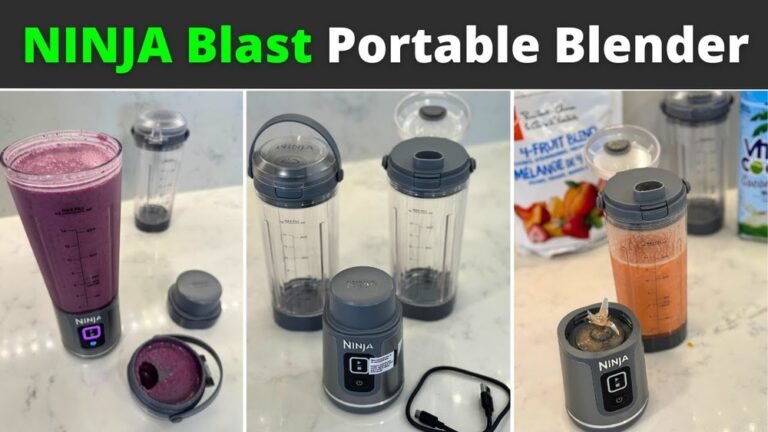
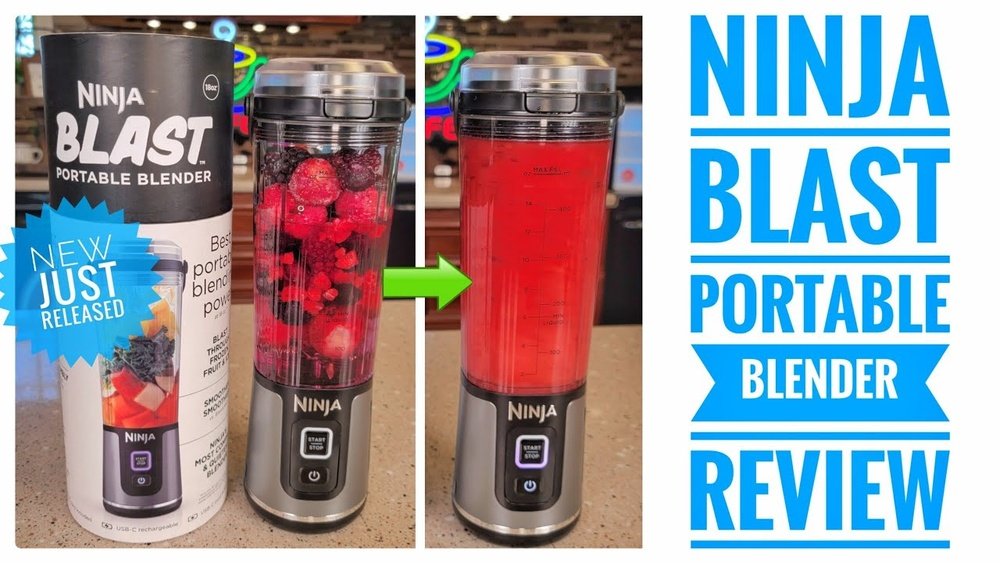
Suppose you use the Ninja Blast Portable Blender. According to the official site, it takes about 2 hours to fully charge with a standard USB-C charger. If you use a lower-power charger, it might take longer—up to 3 hours.
Charging Time Range (typical Models)
- Ninja Blast Portable Blender: 2–3 hours
- Ninja Cordless Handheld Blender: 2–2.5 hours
- Older models: Up to 4 hours
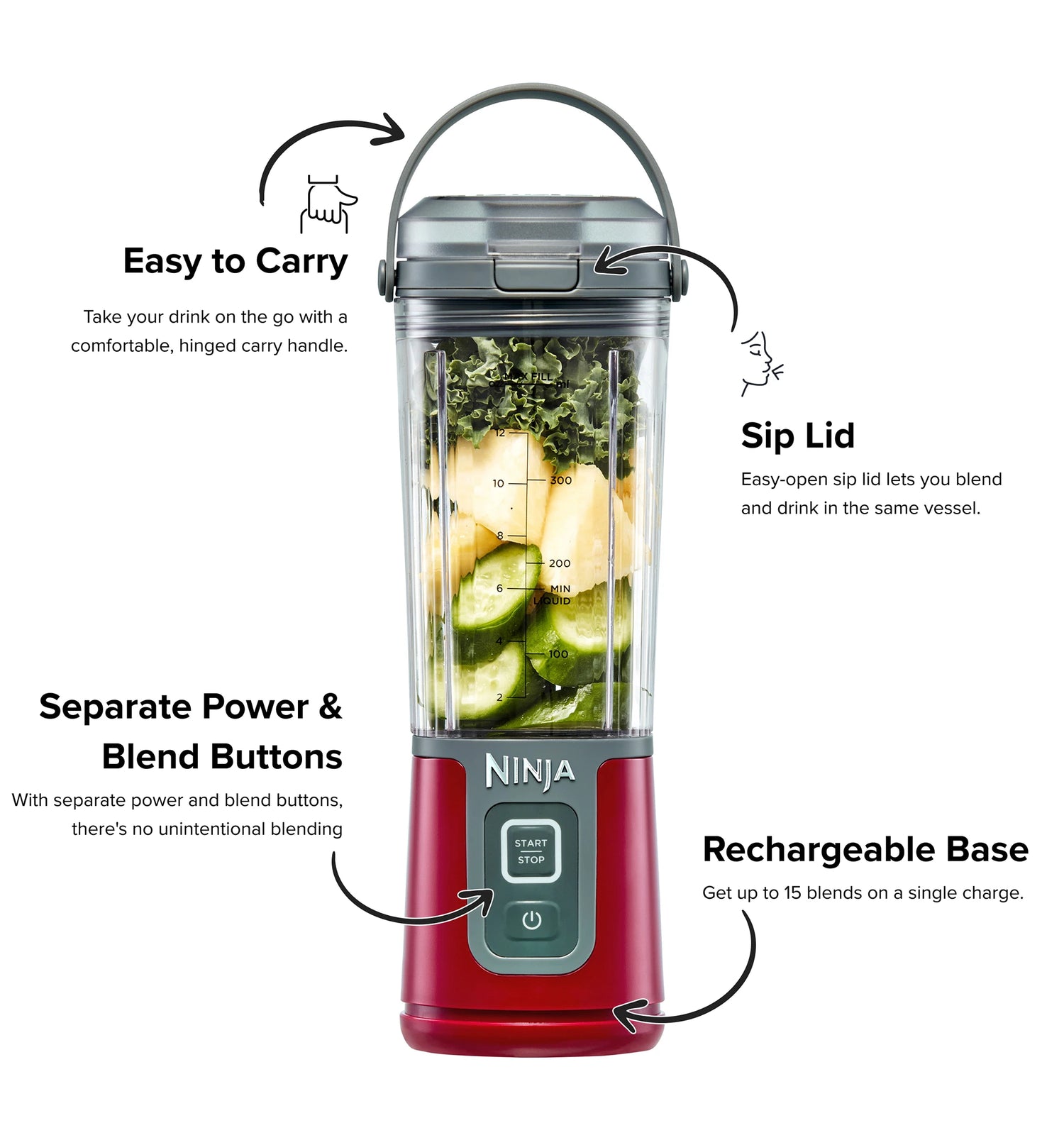
Credit: ninjakitchen.com.au
How Charging Works
The Ninja portable blender uses a lithium-ion battery. This battery is popular because it charges quickly and holds energy well. Charging happens through a USB cable, usually USB-C or micro-USB.
Charging Steps
- Connect the cable: Plug the USB cable into the blender and a power source.
- Indicator light: Most models show a light (red, yellow, or green) to indicate charging status.
- Wait for full charge: The light changes or turns off when the battery is full.
- Unplug and use: Disconnect the cable, and your blender is ready.
Charging Status Indicators
- Red light: Charging
- Green light: Fully charged
- Blinking light: Error or low battery
Some models beep or vibrate when charging is complete.
Battery Capacity And Its Impact
Battery size decides how long your blender lasts per charge and how long it takes to recharge. Ninja portable blenders usually have batteries between 2000 mAh and 4000 mAh.
| Model | Battery Capacity (mAh) | Charging Time | Blends per Charge |
|---|---|---|---|
| Ninja Blast Portable Blender | 4000 | 2–3 hours | ~10 |
| Ninja Cordless Handheld Blender | 2600 | 2–2.5 hours | ~8 |
| Older Mini Models | 2000 | 3–4 hours | ~5 |
What Beginners Miss
- Bigger battery means more blends per charge, but also longer charging time.
- Using a stronger charger (higher wattage) can reduce charging time.
- Some cheap USB cables slow charging without you realizing.
Factors That Affect Charging Time
Charging time is not always fixed. It depends on several factors:
- Charger power: Fast chargers (like phone chargers with 18W or more) charge faster than low-power USB ports.
- Cable quality: Cheap or damaged cables may slow down charging.
- Battery age: Old batteries take longer to charge and hold less energy.
- Ambient temperature: Very hot or cold rooms can make charging slower.
- Blender use: If you blend while charging, the battery might fill slower.
Comparing Charger Types
| Charger Type | Charging Time | Notes |
|---|---|---|
| Laptop USB Port | 3–4 hours | Low power, slow |
| Standard Wall Adapter (5W) | 3 hours | Average speed |
| Fast Charger (18W+) | 2 hours | Fastest, safe |
| Power Bank | 2.5–3 hours | Depends on power bank output |
Non-obvious Insight
Many people charge with their laptop or car USB port, thinking it’s convenient. But these ports usually supply less power, making the process slower. Using a phone fast charger is almost always quicker.
How To Charge Ninja Portable Blender Faster
You can speed up charging with a few smart choices.
Tips For Fast Charging
- Use the original charger or a high-power USB adapter (18W or more).
- Choose a short, thick USB cable (long, thin cables lose power).
- Avoid charging in very hot or cold rooms.
- Don’t blend while charging—let the battery fill first.
- Clean the charging port regularly, dust can block power.
Example: Fast Charging Vs. Slow Charging
If you use a standard wall adapter, your blender takes about 3 hours to charge. With a fast phone charger, it drops to 2 hours. Charging through a laptop USB port can take over 4 hours.
Why It Matters
If you’re in a hurry, every hour counts. For travelers or gym users, a quick top-up can mean the difference between getting your smoothie or missing it.
Battery Life And Usage
Charging time is only part of the story. Battery life affects how often you need to charge. Most Ninja portable blenders provide 8–10 blends per charge.
How Long Does A Full Charge Last?
If you make one smoothie per day, a full charge lasts about one week. If you blend several times daily, you’ll need to recharge every 2–3 days.
Practical Example
You charge your blender Sunday night. You blend every morning for breakfast. By Saturday, the battery is low. Charge again, and you’re set for the next week.
Non-obvious Insight
Some users try to blend with low battery. This can lead to weak blending or even battery damage. Always charge before the battery gets too low.
Charging Safety And Maintenance
Portable blenders use strong batteries, so safety is important.
Safe Charging Practices
- Use only recommended chargers.
- Don’t use damaged cables.
- Avoid charging near water or in damp places.
- Don’t leave the blender plugged in after full charge.
- If the battery feels hot, unplug and let it cool.
Battery Maintenance Tips
- Charge at room temperature (not hot or cold).
- Don’t let battery fully die often—recharge when low.
- Clean charging port with a dry cloth.
- Store blender with some charge (not empty or full) if not used for weeks.
Extending Battery Life
- Don’t overcharge or use cheap chargers.
- Avoid blending with empty battery.
- If battery weakens over time, replace it if possible.
Comparing Ninja Portable Blender Charging With Other Brands
How Does Ninja Stack Up Against Other Brands?
| Brand | Charging Time | Battery Capacity | Blends per Charge |
|---|---|---|---|
| Ninja | 2–3 hours | 4000 mAh | ~10 |
| BlendJet | 1.5–2 hours | 4000 mAh | ~8 |
| PopBabies | 3–4 hours | 2200 mAh | ~6 |
| Hamilton Beach | 3–4 hours | 3000 mAh | ~7 |
Key Takeaways
- Ninja offers average to fast charging (2–3 hours).
- BlendJet is slightly faster, but similar battery.
- PopBabies and Hamilton Beach take longer, with smaller batteries.
What Beginners Miss
- Some brands claim “fast charging” but use smaller batteries—so they charge quickly but offer fewer blends.
- Always check battery size and blends per charge, not just charging speed.
Common Charging Problems And How To Solve
Sometimes your Ninja portable blender won’t charge as expected. Here are common problems and solutions.
Problem 1: Blender Won’t Charge
- Check cable: Try a new cable.
- Check charger: Use a different adapter.
- Check port: Clean with dry cloth.
- Reset blender: Some models have a reset button.
Problem 2: Slow Charging
- Use a higher-power charger.
- Replace USB cable.
- Charge in a cooler room.
Problem 3: Battery Drains Fast
- Avoid using the blender while charging.
- Replace old battery if possible.
- Don’t let battery die completely.
Problem 4: No Indicator Light
- Make sure cable is fully plugged in.
- Try a new charger.
- Contact Ninja support.
Practical Guidance
If your blender still won’t charge after trying these steps, contact Ninja customer service or check their online support for troubleshooting. For official info, visit the Ninja Kitchen site.
How Often Should You Charge Ninja Portable Blender?
Charging frequency depends on your usage. For most users:
- Light use: Charge once per week.
- Medium use: Charge every 3–4 days.
- Heavy use: Charge every 1–2 days.
Example Schedule
If you blend twice daily, your blender will need charging every three days. If you use it once daily, once a week is enough.
Charging Habit Tips
- Charge overnight for convenience.
- Always check battery before travel.
- Keep a spare charger in your bag.
How To Know When Your Blender Is Fully Charged
Most Ninja portable blenders have a charging indicator. Usually, the light changes color or turns off when fully charged.
Indicator Types
- Solid green: Fully charged.
- Solid red: Charging.
- Blinking: Error or low battery.
Some models beep or vibrate. If unsure, check the manual for your model.
Non-obvious Insight
Some people unplug as soon as the light turns green, but the battery may still be finishing its charge. Wait 10–15 minutes after the indicator changes for maximum battery life.
Can You Use The Blender While Charging?
In most cases, it’s not recommended. Blending while charging stresses the battery and may cause slower charging or damage.
What Happens If You Blend While Charging?
- Charging slows down.
- Battery heats up.
- Risk of battery wear.
Best practice: charge fully, unplug, then blend.
Usb Charging: Pros And Cons
Ninja portable blenders use USB charging for convenience, but there are trade-offs.
Pros
- Charge anywhere (laptop, power bank, car).
- No special charger needed.
- Easy for travel.
Cons
- Slow if using low-power USB ports.
- USB ports can be unreliable.
- Some cables don’t fit all models.
Practical Advice
Always carry a good USB cable and a high-power adapter. For frequent travelers, a portable power bank is a lifesaver.
Charging Ninja Portable Blender For Travel
Travelers rely on portable blenders for meals and drinks. Charging is a key concern.
Tips For Travel Charging
- Use a power bank with high output.
- Charge before leaving home or hotel.
- Avoid charging in extreme temperatures.
- Carry a backup cable.
Example Scenario
You’re on a road trip. Your blender is low on battery. Plug into a car USB port, but it’s slow. Use your power bank with fast output, and you get a full charge in 2–2. 5 hours.
What Beginners Miss
Airport USB ports are often low power. Plan to charge in hotels or with your own power bank.
How Charging Time Affects Daily Use
Charging time impacts how often you use your blender. If you need quick blends, a long charging time can be frustrating.
Practical Example
You finish your workout and want a protein shake. But the blender is dead. If charging takes 3 hours, you miss your shake. If it’s only 2 hours, you can blend before lunch.
Strategies To Avoid Waiting
- Charge overnight.
- Keep a backup portable blender.
- Buy a fast charger.

Credit: www.amazon.com
Environmental Impact Of Charging
Charging battery devices uses energy. While each blender uses little power, it adds up.
How Much Energy Is Used?
A typical Ninja portable blender uses about 6–8 watt-hours per charge. Over a year, if you charge weekly, it’s about 400 watt-hours—less than a refrigerator for one day.
Eco-friendly Charging Tips
- Use energy-efficient chargers.
- Don’t overcharge.
- Charge during off-peak hours.
Battery Replacement And Upgrading
Batteries wear out over time. Most Ninja portable blenders don’t let you replace the battery easily, but some models do.
Signs You Need A New Battery
- Charging takes much longer.
- Battery drains after few blends.
- Blender won’t turn on.
How To Upgrade
Check Ninja’s site or manual for battery replacement options. If not possible, you may need to buy a new blender.
Practical Insight
Don’t wait until the battery is completely dead. If performance drops, replace or upgrade sooner.
Charging Myths And Misconceptions
Many people believe things about charging that aren’t true.
Myth 1: Any Usb Charger Works The Same.
Reality: High-power chargers are faster and safer.
Myth 2: Let The Battery Drain Fully Every Time.
Reality: This damages lithium-ion batteries.
Myth 3: Blending While Charging Is Safe.
Reality: It stresses the battery and slows charging.
Myth 4: Charging Overnight Is Unsafe.
Reality: Modern blenders stop charging when full, but unplug if possible.
Myth 5: Charging In Cold Rooms Is Better.
Reality: Batteries charge best at room temperature.
Charging Ninja Portable Blender: Step-by-step Guide
If you’re new to portable blenders, here’s a simple guide.
- Plug in the USB cable to the blender.
- Connect the other end to a wall adapter, power bank, or laptop.
- Check the indicator light (red means charging).
- Wait 2–3 hours (for most models).
- Watch for green light (or check manual for your model).
- Unplug and use.
Practical Tips
- Set a timer or alarm to remind you when charging is done.
- If you travel, keep charging gear in your bag.
Real-world User Experiences
Many users share their stories online. Here are a few examples:
Example 1: Office Worker
Sarah charges her Ninja portable blender overnight at home. She blends breakfast at her desk. Charging takes about 2 hours, so she’s never caught without power.
Example 2: Gym Enthusiast
Mike uses his blender daily for protein shakes. He charges every two days with a fast charger. Charging takes 2 hours, and he gets 8 blends.
Example 3: Traveler
Lina travels often. She carries a power bank and extra cable. Charging in hotels is fast, but airport USB ports are slow. She plans ahead to avoid running out of battery.
Non-obvious Insight
Some users buy a second portable blender so they always have a backup when one is charging.
What To Do If Charging Time Is Too Long
If your Ninja portable blender takes longer than 3–4 hours to charge:
- Switch to a higher-power charger.
- Replace USB cable.
- Clean charging port.
- Avoid blending while charging.
- Replace battery if old.
When To Contact Support
If your blender won’t charge or takes much longer than expected, contact Ninja support. Some models may have warranty or replacement options.
Frequently Asked Questions
How Long Does Ninja Portable Blender Take To Charge From Empty?
For most models, it takes 2–3 hours from empty to full. Using a fast charger can reduce this time. Charging with low-power sources (like laptops) can take longer.
Can I Use Any Usb Charger For My Ninja Portable Blender?
You can use most USB chargers, but a high-power charger (18W or more) is best. Cheap or low-power chargers may slow charging or cause battery issues.
How Many Blends Can I Get From A Full Charge?
Most Ninja portable blenders give 8–10 blends per charge, depending on battery size and ingredients. Thick or heavy blends may use more power.
Is It Safe To Leave My Blender Charging Overnight?
Yes, it’s generally safe. Ninja blenders stop charging when full. However, unplug when possible to extend battery life.
What Should I Do If My Ninja Portable Blender Won’t Charge?
Check the cable, charger, and charging port. Try a different charger or cable. Clean the port with a dry cloth. If still not charging, contact Ninja customer support.
Final Thoughts
Charging your Ninja portable blender is quick and easy if you follow the right steps. Most models take 2–3 hours to charge fully, giving you up to 10 blends per charge. Use a high-power charger and good cable for best results. Battery life, charger quality, and usage habits all impact charging time. If you plan ahead, keep your blender charged, and follow maintenance tips, you’ll enjoy fresh blends anytime—at home, work, gym, or on the go.
Remember, the right charging routine keeps your blender reliable and ready. Whether you’re blending smoothies, shakes, or juices, knowing how to charge efficiently makes all the difference.

Credit: sharkninja.com.ph