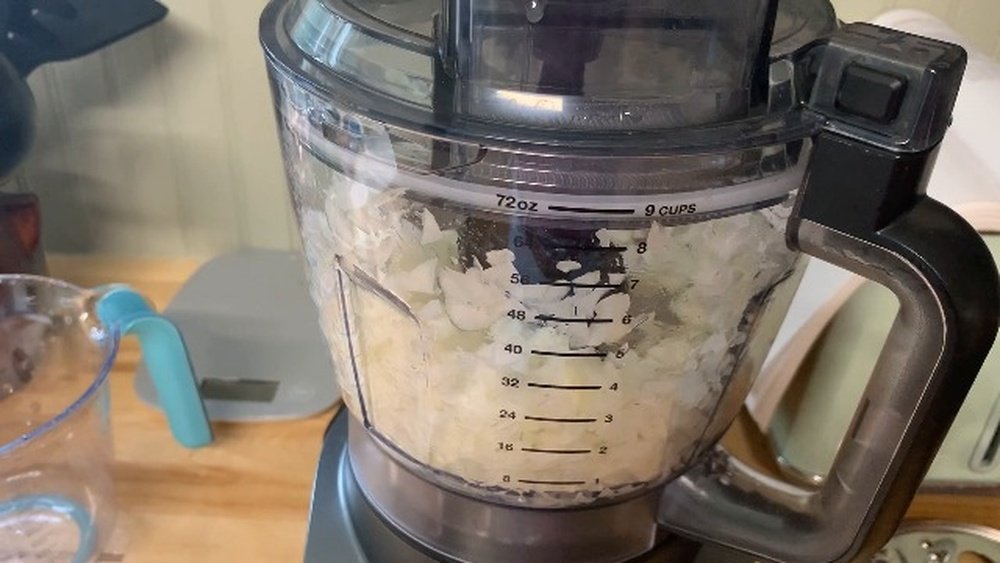
How To Chop Onion In Ninja Blender: Quick and Easy Guide
Chopping onions is a basic kitchen task, but it can feel tedious and even bring tears to your eyes. Many home cooks now use blenders to save time and avoid mess. The Ninja Blender is popular for its power and versatility, but not everyone knows how to use it for chopping onions correctly. If you want to chop onions in your Ninja Blender without turning them into mush, this guide will walk you through every step, give practical tips, and explain the reasons behind each method. Whether you’re preparing salsa, stir-fry, or salad, mastering onion chopping in your Ninja will make cooking faster and easier.
Understanding Ninja Blenders For Chopping
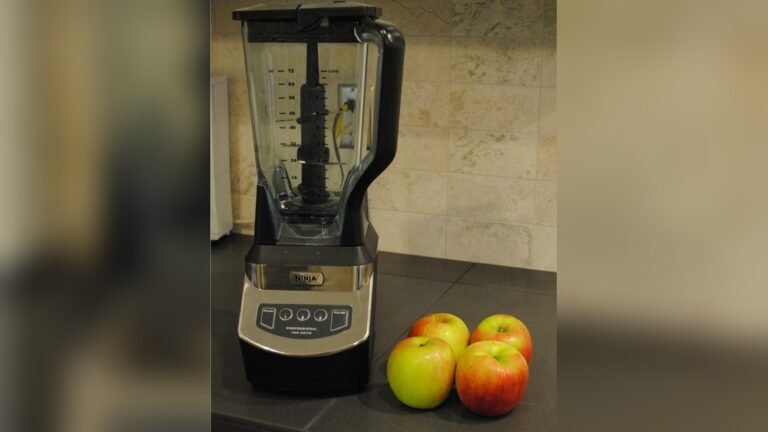
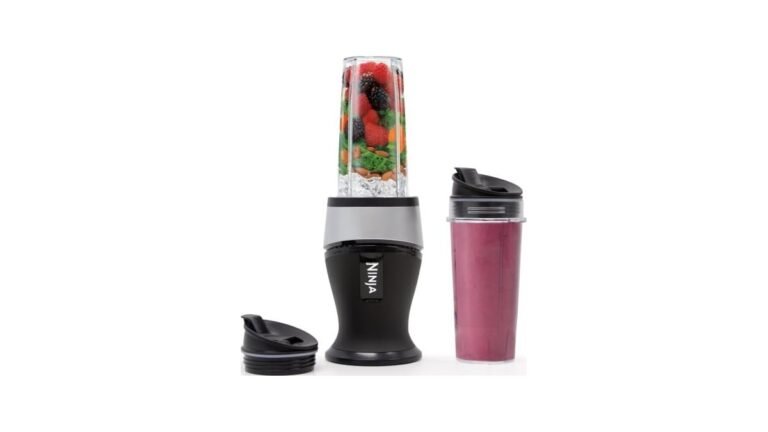
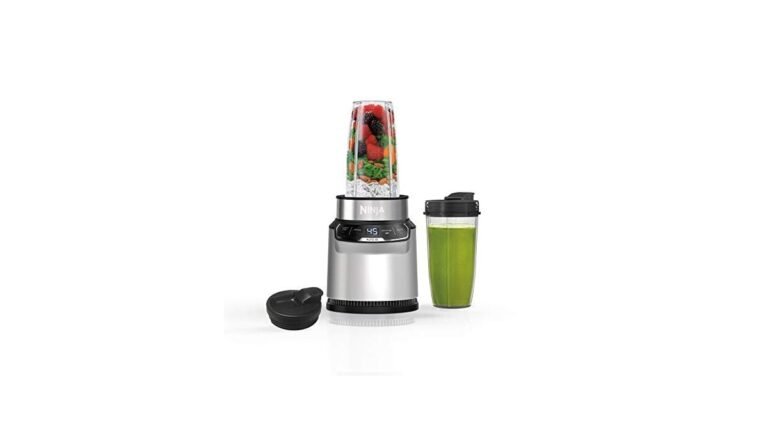
The Ninja Blender family includes several models, each with slightly different features. Most Ninja blenders have sharp blades, multiple speed settings, and pulse functions. These features make them excellent for chopping, not just blending. It’s important to understand how your specific Ninja model works because some have special containers for food processing, while others use standard pitcher-style jars.
Why Use A Blender For Chopping?
- Speed: Chopping onions takes seconds in a blender compared to minutes by hand.
- Safety: You avoid handling sharp knives, which reduces risk of cuts.
- Consistency: Blenders can deliver even pieces, which helps with cooking and presentation.
- Less Mess: Onion juice and pieces stay contained, minimizing cleanup.
Ninja Blender Types
Below is a comparison of three common Ninja models and their chopping abilities:
| Model | Blade Type | Chopping Feature | Best For |
|---|---|---|---|
| Ninja Professional | Stacked | Pulse | Large batches |
| Ninja Foodi | Multi-layer | Auto-iQ (pre-set) | Precise chopping |
| Ninja Nutri | Single | Manual | Small quantities |
Knowing your model’s strength and blade style will help you chop onions more efficiently and avoid common mistakes.
Preparing Onions For The Ninja Blender
Preparation is key for chopping onions smoothly and getting the right texture. Skipping steps can lead to uneven results or even damage your blender.
Choosing The Right Onion
Most recipes use yellow onions because they offer a balance of flavor and texture. However, you can use red, white, or sweet onions depending on your dish. Each onion type has a slightly different water content and firmness, which affects chopping results.
Prepping Steps
- Peel the Onion: Remove the outer skin. Use your fingers or a small knife to strip away dry layers.
- Cut Off Ends: Slice off both the root and stem. This makes the onion sit flat and stable.
- Quarter the Onion: Cut the onion into quarters or eighths. Smaller pieces work better in the blender and prevent over-processing.
- Remove Core (Optional): For milder flavor, you can remove the inner core.
Quantity Matters
Do not overload the blender. Most Ninja models work best with 1–2 medium onions per batch. Too many onions can block the blades and cause uneven chopping.

Credit: www.youtube.com
How To Chop Onion In Ninja Blender: Step-by-step
The actual chopping process is simple, but attention to detail makes a big difference. Here’s how to get the right results every time:
Step 1: Assemble The Blender
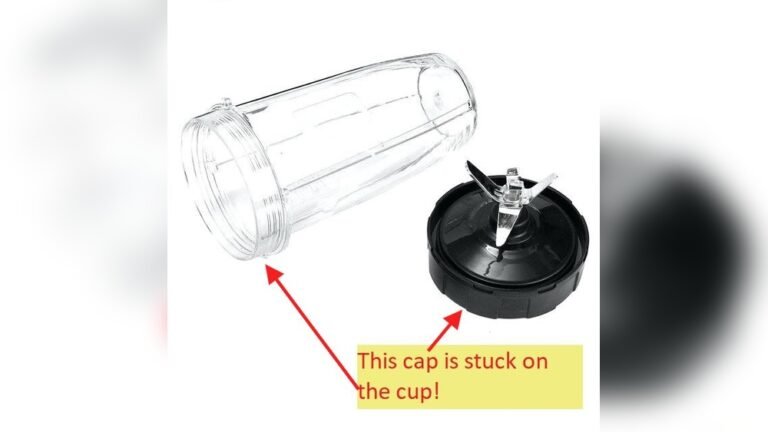
Check that the blades are clean and properly attached. Use the main pitcher or the food processor bowl if your Ninja has one. Secure the lid tightly.
Step 2: Add Onion Pieces
Place your quartered onion pieces into the blender. Spread them out so they don’t pile up in one area.
Step 3: Use The Pulse Function
For chopping, always use the pulse function. This gives you better control and prevents the onions from turning into paste. Hold the pulse button for 1–2 seconds, then release. Repeat 3–5 times. Check after each pulse.
Step 4: Check Consistency
After pulsing, open the lid and inspect the onions. If some pieces are too large, reposition them and pulse again. If everything is chopped evenly, stop. Over-pulsing leads to mushy onions.
Step 5: Remove Chopped Onions
Carefully remove the chopped onions with a spatula or spoon. Avoid using your hands directly near the blades.
Step 6: Clean The Blender
Wash the pitcher, blades, and lid immediately. Onion smell can linger, so rinse with warm soapy water and let dry.
Tips For Perfect Onion Chopping
Getting the best results involves a few extra tricks that beginners often miss. Here’s how to avoid common pitfalls and improve your chopping technique.
Don’t Overfill
Too many onions at once can block the blades, leading to uneven chopping. Stick to 1–2 medium onions per batch, especially if you want diced or chopped pieces instead of pureed onion.
Use Pulse, Not Blend
The blend setting runs continuously, which can turn onions into liquid. The pulse function works in short bursts and lets you stop when you reach the right size.
Dry The Onion
If your onions are wet from washing, pat them dry. Excess moisture can make the chopped onions soggy and difficult to use.
Experiment With Slicing
Try slicing the onion thinner before placing it in the blender. Thin slices chop faster and more evenly.
Avoid Adding Liquid
Don’t add water or oil when chopping onions. Liquids are for blending, not chopping. Adding liquid turns onions into puree.
Watch The Timing
Timing is critical. Each pulse should be short. If you pulse too long, the onions lose their texture.
Use The Right Bowl
If your Ninja has a food processor attachment, use it for chopping. It’s designed for solid foods and gives better results than the main pitcher.
Comparing Hand Chopping Vs. Ninja Blender
Many cooks wonder if using a blender is better than chopping by hand. Here’s a clear comparison between the two methods:
| Chopping Method | Time Required | Consistency | Effort Level | Mess Level |
|---|---|---|---|---|
| Hand Chopping | 5–10 minutes | Varies (depends on skill) | Medium to high | High |
| Ninja Blender | 1–2 minutes | Even (with pulse) | Low | Low |
Blenders win for speed and convenience. Hand chopping is best for fine dicing and when you need exact shapes, but for most recipes, the Ninja delivers great results with less effort.
Common Mistakes When Chopping Onion In Ninja Blender
Avoiding mistakes will help you get perfect chopped onions every time. Here are some errors beginners often make:
Over-blending
Using the blend setting instead of pulse can turn onions into paste. Always use short pulses.
Overloading
Putting too many onions at once prevents the blades from moving freely. Limit each batch to 1–2 onions.
Not Checking Consistency
Some users forget to open the lid and check after each pulse. This leads to uneven results.
Forgetting To Dry
Wet onions stick together and chop poorly. Always pat them dry.
Using The Wrong Container
Not all Ninja containers are suitable for chopping. The food processor bowl is best, but the main pitcher works for small batches.
Not Cleaning Immediately
Onion residue can stick to the blender and cause smell. Clean after each use.
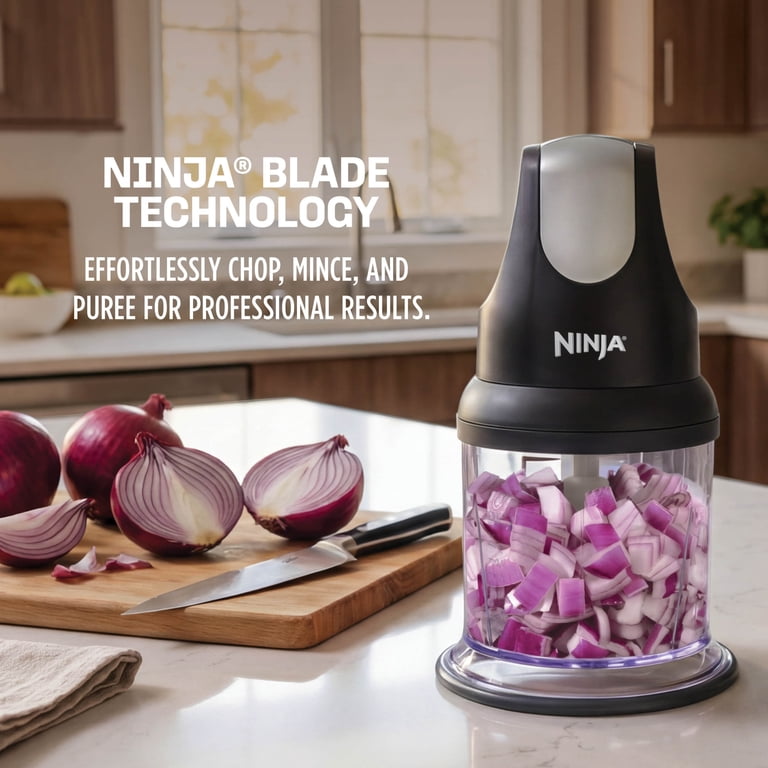
Credit: www.walmart.com
Using Chopped Onions: Practical Applications
Chopped onions are used in many recipes, and the Ninja Blender makes it easy to prepare for different dishes.
Salsa And Dips
Finely chopped onions add texture and flavor to salsa. Use the pulse function for a chunky consistency.
Stir-fry And Curries
Medium-chopped onions are perfect for stir-fry or curry bases. They cook evenly and blend well with spices.
Soups And Stews
Chopped onions dissolve into soups and stews, adding depth of flavor. Use larger pieces if you want onion chunks.
Salads
Raw chopped onions are great for salads. Use the blender to chop quickly and keep pieces uniform.
Meal Prep
You can chop a large batch and store in an airtight container. This saves time for future meals.
Cleaning And Maintaining Your Ninja Blender
Proper cleaning helps keep your Ninja working well and removes onion smell.
Cleaning Steps
- Remove all onion pieces from the pitcher and blades.
- Rinse with warm water to remove debris.
- Wash with mild soap and a sponge.
- Rinse and dry thoroughly.
- For tough smells, use baking soda or lemon juice.
Maintenance Tips
- Check blades for dullness. Replace if needed.
- Avoid using abrasive cleaners.
- Make sure all parts are dry before storing.
- Clean immediately after chopping onions to prevent stains and odors.
Troubleshooting: If Your Ninja Blender Isn’t Chopping Onions Well
Sometimes, you may find your blender isn’t chopping onions as expected. Here’s how to fix common issues.
Onion Pieces Too Large
- Cut onions smaller before adding.
- Pulse longer, but avoid over-processing.
Onion Turns To Paste
- Use fewer pulses.
- Dry onions thoroughly.
Uneven Chopping
- Don’t overload the blender.
- Shake or stir pieces between pulses.
Blender Stuck
- Turn off and unplug.
- Remove some onion pieces.
- Check blade alignment.
Persistent Smell
- Soak blender parts in lemon juice or baking soda.
- Wash again with soap.
Advanced Tips For Experienced Users
If you already use your Ninja Blender for chopping onions, these advanced tricks can improve your results.
Use Multiple Batches
Chop onions in batches if you need a large quantity. This keeps pieces even and avoids overloading.
Mix With Other Vegetables
Add bell peppers or carrots to the onions for mixed chopped vegetables. Pulse together for balanced results.
Freeze Chopped Onions
After chopping, spread onions on a tray and freeze. Store in bags for quick use later. Frozen onions work well in cooked dishes.
Adjust Blade Height
Some Ninja models let you adjust blade height. Lower blades work better for fine chopping.
Try Different Pulse Patterns
Experiment with pulse duration and frequency. Short, quick pulses work best for crisp onions, while longer pulses suit softer onions.
Safety Tips For Blender Chopping
Blenders are safer than knives, but you should still follow good safety practices.
- Always secure the lid before pulsing.
- Keep hands away from blades.
- Unplug before cleaning or removing stuck pieces.
- Supervise children using the blender.
- Don’t operate with damaged blades or containers.
Data: How Many Onions Can A Ninja Blender Chop?
Based on user reviews and tests, most Ninja blenders can chop 1–2 medium onions per batch in under 2 minutes. For commercial models, up to 4 onions can be processed, but home models work best with small batches. Here’s a quick comparison of capacity and speed:
| Model | Max Onions Per Batch | Chopping Time |
|---|---|---|
| Ninja Professional | 2 | 1 min |
| Ninja Foodi | 3 | 1.5 min |
| Ninja Nutri | 1 | 45 sec |
This data shows you can prepare onions quickly, but sticking to recommended batch sizes ensures better results.
Benefits And Drawbacks Of Chopping Onions With Ninja Blender
Benefits
- Fast: Saves time compared to hand chopping.
- Consistent: Produces even pieces.
- Less Tears: Reduces exposure to onion fumes.
- Easy Cleanup: Most mess stays inside blender.
Drawbacks
- Less Control: Hard to get exact size or shape.
- Potential Paste: Risk of over-processing.
- Noise: Blenders are louder than hand chopping.
- Blade Wear: Frequent chopping can dull blades faster.
Real-life Example: Onion Chopping For Tacos
Let’s look at a practical example. Suppose you’re making tacos for a family dinner. You need chopped onions for salsa and as a topping.
- Peel and quarter 2 medium yellow onions.
- Place pieces in the Ninja pitcher.
- Pulse 4 times, checking after each burst.
- Remove onions and use half for salsa, half for topping.
- Clean blender immediately.
This method saves time, keeps onion pieces uniform, and makes taco prep much easier.

Credit: www.kitchenaid.com
Non-obvious Insights For Better Onion Chopping
Some insights aren’t obvious to beginners:
- The temperature of onions matters. Cold onions (from the fridge) hold their shape better and are less likely to turn mushy.
- Letting onions sit for a few minutes after chopping helps the flavor mellow and reduces sharpness.
- If you want smaller pieces, pulse in short bursts, then shake the pitcher between pulses. This redistributes pieces for more even chopping.
- Avoid chopping more than onions at once unless the recipe calls for mixed vegetables. Each vegetable has different moisture and density, which affects chopping.
Saving Time And Reducing Tears
One big advantage of using a Ninja Blender is avoiding the discomfort of onion fumes. Because the onion is chopped inside a closed container, fumes are contained. This reduces eye irritation and makes the kitchen more pleasant.
If you want to save even more time, chop onions in advance and store them in airtight containers. Chopped onions can last up to 5 days in the fridge. For longer storage, freeze in small bags and use as needed.
Ninja Blender Features That Help With Chopping
Some Ninja models include features that make chopping easier:
- Auto-iQ: Pre-programmed settings for chopping.
- Food Processor Bowl: Special container for solid foods.
- Stacked Blades: More layers for finer chopping.
- Easy-Pour Lid: Lets you remove chopped onions without mess.
If your model has these features, use them for best results.
Frequently Asked Questions
How Do I Avoid Turning Onions Into Paste In My Ninja Blender?
Use the pulse function and check after each burst. Don’t blend continuously. Start with quartered onions and avoid adding liquid.
Can I Chop Other Vegetables With Onions In The Ninja Blender?
Yes, but results may vary. Each vegetable chops differently due to moisture and density. For mixed vegetables, pulse in short bursts and check consistency often.
How Do I Remove Onion Smell From My Ninja Blender?
Wash immediately after use. For persistent smell, soak parts in a mix of baking soda and water, or use lemon juice. Rinse and dry thoroughly.
Is It Safe To Chop Onions In A Ninja Blender?
Yes, if you follow safety steps. Secure the lid, keep hands away from blades, and unplug before cleaning. Ninja blenders are designed for chopping, but always use caution.
How Long Do Chopped Onions Last In The Fridge?
Chopped onions can last up to 5 days in an airtight container. For longer storage, freeze in small portions. Thawed onions work well in cooked dishes.
Final Thoughts
Chopping onions in a Ninja Blender is a smart way to save time and reduce kitchen stress. By following the right steps, using the pulse function, and preparing onions properly, you can get consistent, even pieces with little effort. Avoid common mistakes like over-blending and overloading, and remember to clean your blender right after use to keep it fresh. Whether you’re cooking for a family or prepping meals ahead, the Ninja Blender offers a fast, safe, and convenient method for chopping onions. For more details about blender models and features, you can check Ninja Kitchen’s official site. With practice, you’ll find chopping onions in your Ninja becomes one of the easiest parts of meal prep.