How to Find Your Oster Blender Model Number
Every Oster blender has its model number printed on a sticker or plate attached to the base of the unit, usually on the bottom or the back near the cord, and it typically appears as a combination of letters and numbers such as “BLSTPB-WBL” or “6811.” Finding that plate takes less than a minute once you know where to look, but Oster has manufactured blenders for more than seventy years across dozens of product lines, so the label format, location, and even the wording on the sticker vary quite a bit from one era to the next. This guide walks through every common location, explains how to read each part of the label, covers what to do when the sticker is missing or worn away, and shows you how to use the number once you have it.
Key Takeaways
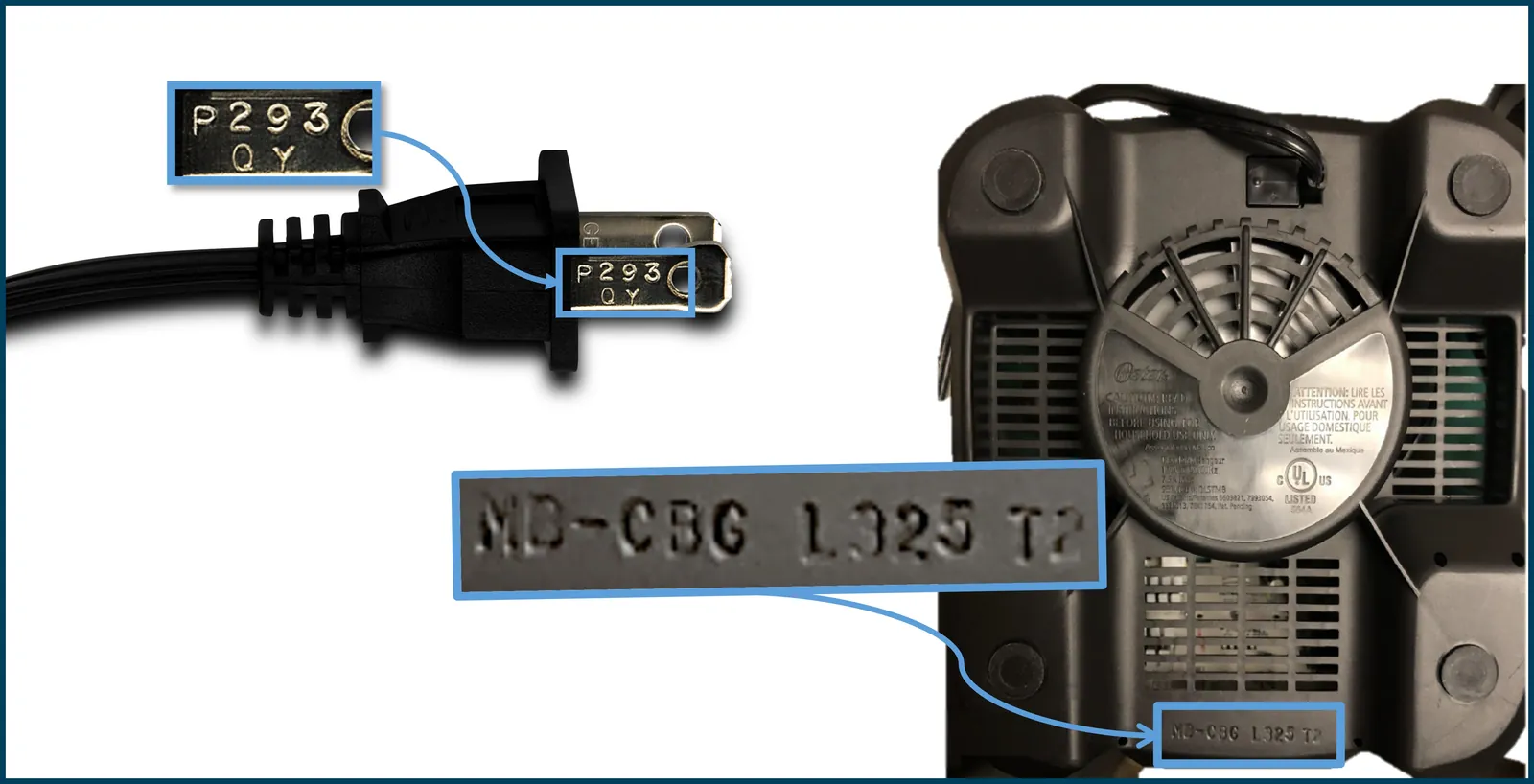
- The model number is almost always on a rating label on the bottom of the blender base, but some Oster models place it on the back panel or under the jar collar.
- Oster labels typically show a model number, a type or series code, a serial number, and electrical ratings — knowing which is which prevents ordering the wrong part.
- If the label is gone, check the owner’s manual, the original box, your retailer account order history, or the underside of the jar lid before giving up.
- Photograph the label with your phone the moment you find it; stickers fade, peel, and wash away over time.
- The model number — not the serial number — is what you need for replacement parts, manuals, and warranty claims.
- Oster customer support can identify a blender from a photo of the base if the label is completely illegible.
Where to Find the Oster Blender Model Number
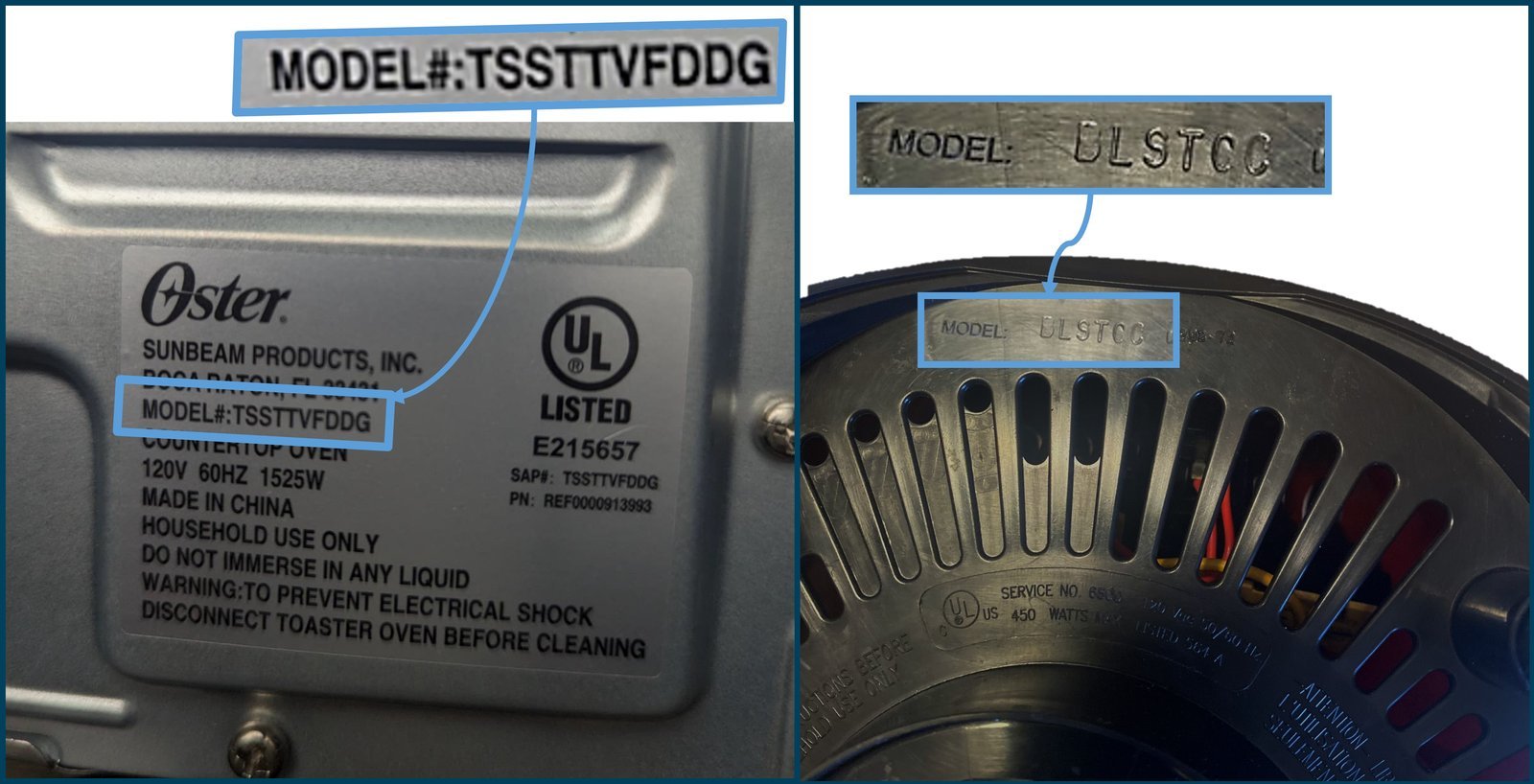
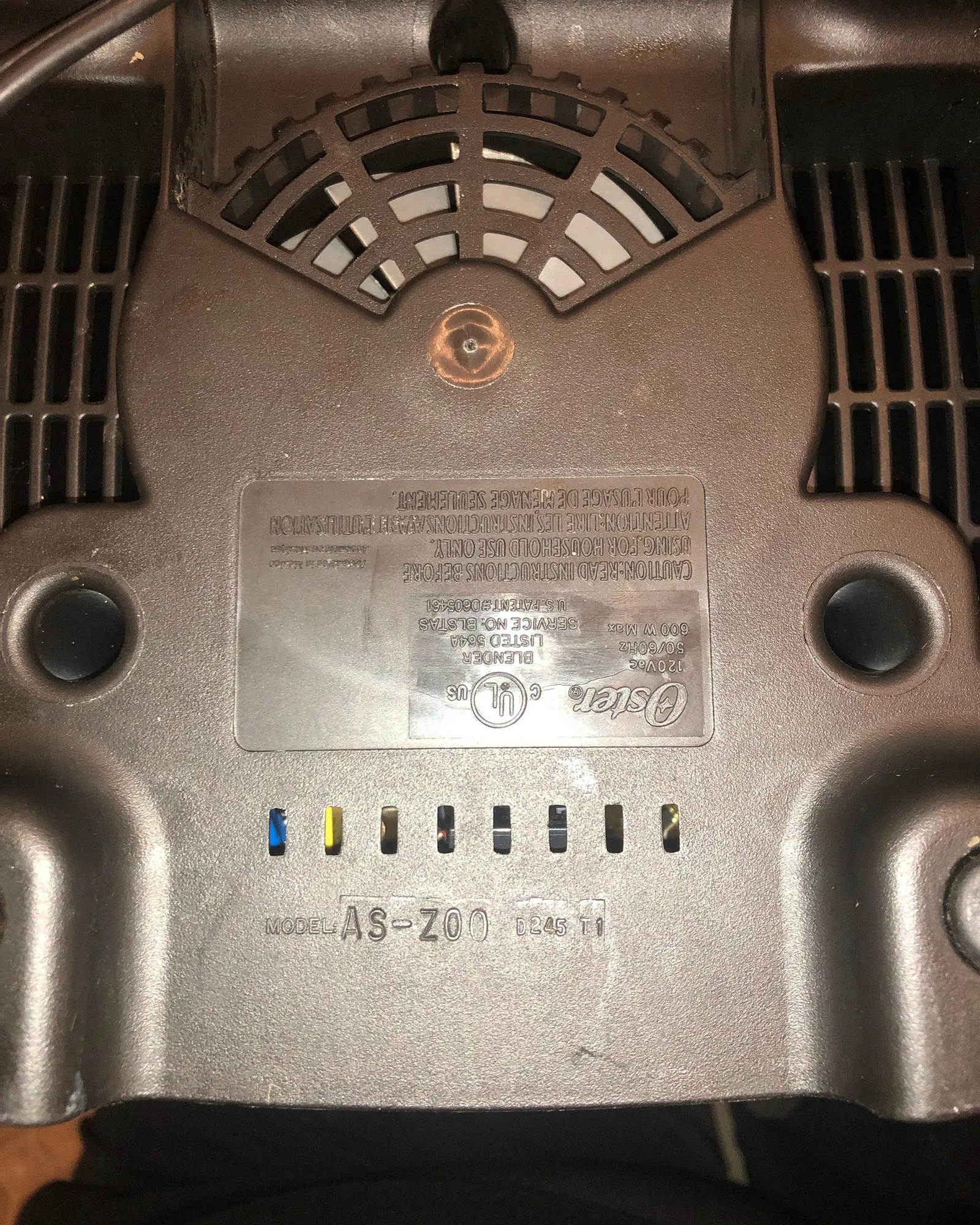
The single most reliable place to look is the rating label, a small silver, white, or black sticker affixed to the blender base. On the vast majority of Oster blenders sold in the last thirty years, this label sits on the underside of the base, sometimes recessed inside a molded ring around the bottom edge. You may need to flip the blender upside down and angle it toward a light source to read it clearly.
If the bottom is smooth with no sticker, check these alternate locations:
- Back of the base, directly below or beside where the cord exits the housing.
- Underside of the motor housing collar, on models where the base separates from the motor unit.
- Bottom of the jar, on some Oster jar assemblies, though this is more often a jar part number than the blender model.
- Inside the handle recess on certain Oster Versa and Pro series models.
- On the cord wrap area at the very bottom rear, where the label can be partially hidden by the wrapped cord.
Pro Tip: Wipe the label with a slightly damp cloth before trying to read it. Years of kitchen grease and dust can make a faded sticker look blank when the print is actually still there.
On the Base, Bottom, or Back
Ninety percent of the time, the answer is the bottom of the base. Turn the blender off, unplug it, and set it on a towel so you don’t scratch the counter or the housing.
Look for a rectangular or oval sticker roughly the size of a postage stamp to a business card. On older Osterizers — the classic chrome beehive-shaped models — the label is often a metal plate riveted to the bottom, and the model number may be stamped rather than printed.
On newer Oster blenders, particularly the Pro, Versa, Master Series, and Blender Express lines, the label is printed on a matte white sticker with black text. The model number is usually the largest alphanumeric string on the label, often in bold or positioned at the top.
Under the Jar or Lid
A smaller number of Oster models carry identification on the jar rather than the base. This is common with Oster’s personal blender cups and with some of the MyBlend and Blend-N-Go style products, where the motor base is generic across several kits and the jar or cup determines the actual product configuration.
If you find a number on the jar, treat it as a jar part number unless the label explicitly says “Model.” You can still use it, but you may need to combine it with the base number for a complete identification.
On the Cord Tag or Packaging
Some Oster blenders ship with a small hang tag or a sticker wrapped around the cord that repeats the model information. This tag is meant to be removed by the consumer, so it’s often long gone, but if you kept the original packaging or the blender is new in box, the model number will be printed on the retail box in large type, usually on the top panel or the end flap alongside a barcode.
Keep the box for the first thirty days if you can — it makes warranty registration and returns dramatically easier.
Anatomy of an Oster Rating Label
Once you find the label, the challenge shifts from locating it to interpreting it. Oster labels pack a lot of information into a small space, and not all of it’s the model number. Here is how the typical fields break down.
| Label Field | What It Looks Like | What It Tells You |
|---|---|---|
| Model Number | BLSTPB-WBL, 6811, BVCB07 | The exact product configuration; use this for parts and manuals |
| Type / Series | Type 6811, Series A | The manufacturing platform shared across several models |
| Serial Number | 14-digit or 10-digit string | Production date and batch; used for warranty verification |
| Voltage / Wattage | 120V ~ 60Hz, 450W | Electrical specification; matters for replacement motors |
| Certifications | UL, ETL, cUL marks | Safety certification body; not needed for parts ordering |
The model number is the field you want. It’s usually the shortest alphanumeric string and often starts with letters like BL, BVC, BLST, or with a four-digit number on older units. The serial number is longer, often purely numeric or a mix of digits and letters, and it changes with every unit produced — which is exactly why it isn’t useful for ordering parts.
Warning: Don’t order a replacement part using the serial number. Parts suppliers index their catalogs by model number, and a serial number search will either return nothing or return the wrong component.
Model Number vs. Serial Number
The fastest way to tell them apart is length and variability. A model number is shared by thousands or millions of identical blenders. A serial number is unique to your specific unit. If you search the number online and find listings, reviews, and manuals, it’s a model number. If you search it and find nothing at all, it’s almost certainly a serial number.
Another clue: model numbers on Oster products frequently contain a hyphen followed by a color or finish code, such as BLSTPB-WBL where “WBL” indicates white and blue, or BLSTPB-GR for green. Serial numbers rarely contain hyphens in that pattern.
What the Letters and Numbers Mean
Oster’s model numbering has shifted over the decades, but a few patterns hold:
- BL prefixes generally indicate a blender in the modern Oster catalog.
- BLST prefixes appear on the Blend-N-Go and personal blender lines.
- BVC prefixes show up on Versa and higher-end countertop models.
- Four-digit numbers like 6811, 4093, or 6878 belong to older Osterizer and Oster Kitchen Center products.
- Suffixes after a hyphen usually denote color, finish, or retail channel exclusivity.
Understanding the prefix helps you search accurately. Searching “Oster BLSTPB manual” will get you much further than searching a random string of digits.
How to Read a Worn or Faded Label
Faded labels are the most common obstacle. Here are techniques that work, in order of how likely they’re to succeed:
- Angle a flashlight across the label rather than shining it directly. Raking light reveals the slight embossing or ink residue that direct light washes out.
- Photograph the label and enhance the contrast using your phone’s photo editor. Increasing contrast and reducing brightness often makes ghost text legible.
- Try a pencil rubbing on metal plates. Place thin paper over the plate and rub gently with a pencil; stamped characters will appear as raised outlines.
- Check the underside of the base for a second label. Many Oster blenders carry both a main rating label and a smaller secondary sticker with just the model and serial.
- Look at the molded plastic itself. Some Oster bases have the model number embossed directly into the plastic near the bottom edge, independent of any sticker.
If none of these work, move on to the recovery methods below rather than spending more time on a destroyed label.
If the Label Is Missing Entirely
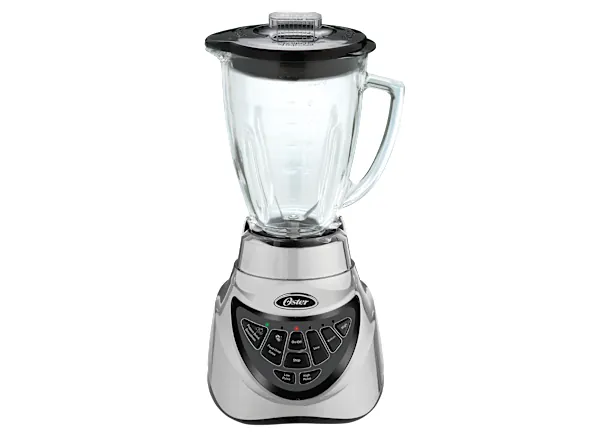
A missing label isn’t a dead end. There are several reliable paths to identifying your Oster blender without it.
Check the Manual and Receipt
The owner’s manual that came with the blender almost always lists the model number on the front cover or the first inside page. If you filed it away, check the folder where you keep appliance paperwork. If you registered the product, Oster’s warranty system has the number on file, and a quick call or email to customer support with your name and approximate purchase date can retrieve it.
A purchase receipt or an order confirmation email is equally useful. Retailers like Walmart, Target, Amazon, and Bed Bath & Beyond include the model number in the order line item, sometimes in the product title itself. Search your email for “Oster blender” and check the order details.
Identify by Appearance and Features
If paperwork is gone too, you can narrow the model by matching physical characteristics. Oster’s product lines differ in consistent, visible ways.
| Feature | What It Suggests | Example Models |
|---|---|---|
| Beehive chrome base, toggle switches | Vintage Osterizer | 4093, 4034, 848-41 |
| Plastic base, single dial, 3 speeds | Basic Oster blender | 6811, 6640 |
| Touchpad with preset programs | Oster Pro or Master Series | BLSTMB, BLSTTA |
| Personal cup with travel lid | Blend-N-Go or MyBlend | BLSTPB, BLSTAV |
| Tall 64-oz jar, 1000W+ motor | Oster Versa or Pro 1200 | BVCB07, BLSTVB |
Measure the jar capacity, note the wattage if it’s printed anywhere on the housing, count the speeds, and photograph the control panel. With those details, Oster customer support or a knowledgeable parts retailer can usually identify the model within a few guesses.
Use Oster Support and Photo ID
Oster’s customer care team can identify a blender from a clear photograph of the base, the control panel, and the jar. Include a shot of the bottom even if the label is gone, since the molded shape of the base is often distinctive. Contact information is available on Oster’s official website under the Support section. Response times vary, but email submissions with photos typically get a reply within a few business days.
Pro Tip: When you contact support, mention the approximate purchase year and where you bought it. That narrows the catalog range significantly and speeds up the identification.
Why the Model Number Matters
You might wonder whether the model number is worth the effort. It is, for four concrete reasons.
- Replacement parts fit by model. Blades, gaskets, jar assemblies, coupling gears, and motor brushes are all model-specific. A blade that fits a 6811 won’t necessarily fit a BLSTPB.
- Manuals and guides are indexed by model. Oster publishes user manuals and parts diagrams per model. Without the number, you’re guessing at assembly and cleaning instructions.
- Warranty claims require it. Oster’s warranty terms are tied to specific model lines, and support agents will ask for the model number before processing a claim.
- Recalls and safety notices are model-specific. If a particular batch of blenders has a safety issue, the notice will name the affected models. Knowing yours lets you check quickly.
The serial number matters for warranty date verification, but the model number is what drives everything else.
Finding Your Model Number for Parts and Support
Once you have the number, put it to work. Here is how to use it effectively.
Ordering Replacement Parts
Search the model number plus the part name — for example, “Oster 6811 replacement blade” or “Oster BLSTPB gasket.” Reputable parts retailers and Oster’s own parts portal will return compatible components. Cross-check the part diagram in your model’s manual to confirm the part number before buying.
Registering Your Warranty
Oster’s warranty registration is done through their website using the model and serial number together. Registering within the first thirty days of purchase is ideal, though many manufacturers accept later registrations with a receipt. Keep a photo of both numbers stored with your receipt.
Downloading the Right Manual
Oster’s support site hosts manuals in PDF form. Enter the model number in the search field and download the correct document. If the search returns nothing, try removing the color suffix — searching “BLSTPB” instead of “BLSTPB-WBL” often surfaces the right manual.
Common Mistakes When Searching for the Number
A few errors trip people up repeatedly.
- Confusing the serial number with the model number. This is the single most common mistake. Remember: model is short and shared, serial is long and unique.
- Reading the wattage as the model. “450W” is a power rating, not a model number.
- Using the jar part number as the blender model. Jars are often interchangeable across models, so the jar number may not match the base.
- Searching with the color suffix included. Many databases strip the color code, so a search with “-WBL” attached returns nothing while the base model number returns everything.
- Assuming the number on the box matches the number on the unit. They usually do, but retail-exclusive bundles sometimes differ. Trust the unit label.
Warning: If you’re buying a used Oster blender online, ask the seller for a photo of the rating label before purchasing. Listings frequently misidentify models, and you may receive a blender that doesn’t match the parts or accessories you intended to buy.
Quick Reference: Label Locations by Oster Line
| Oster Line | Most Likely Label Location | Label Type |
|---|---|---|
| Osterizer (vintage) | Bottom, riveted metal plate | Stamped metal |
| Oster 6811 / basic plastic | Bottom, recessed sticker | Printed sticker |
| Oster Pro / Master Series | Bottom or back panel | Printed sticker |
| Oster Versa | Bottom, sometimes under collar | Printed sticker |
| Blend-N-Go / MyBlend | Bottom of motor base | Printed sticker |
| Oster Kitchen Center | Bottom of motor unit | Stamped or printed |
This table is a starting point, not a guarantee. Manufacturing changed over the decades, and Oster has produced blenders under license in several countries. When in doubt, check all the locations listed earlier in this guide.
Frequently Asked Questions
Where is the model number on an Oster blender?
It’s on the rating label, a small sticker or metal plate attached to the base. Check the bottom first, then the back near the cord, then under the jar collar. On vintage Osterizers, look for a riveted metal plate on the underside.
How do I tell the model number from the serial number?
The model number is short, often starts with letters like BL or BLST, and is shared across many identical units. The serial number is longer, unique to your blender, and changes with every unit produced. Parts are ordered by model number, never by serial number.
What if the sticker on my Oster blender is worn off?
Try raking light, a phone photo with boosted contrast, or a pencil rubbing on metal plates. If those fail, check your manual, receipt, or email order history. Oster customer support can also identify the blender from clear photos of the base and control panel.
Can I find the model number without the blender in front of me?
Yes, if you have the original box, manual, or purchase receipt. Retailer order histories and email confirmations usually include the model number in the line item. Warranty registration records also store it if you registered the product.
Do all Oster blenders use the same model number format?
No. Vintage Osterizer models use four-digit numbers, while modern blenders use letter-prefixed codes like BLSTPB or BVCB07. The format varies by era and product line, so don’t assume a number is invalid just because it looks different from another Oster model.
Is the model number the same as the part number?
No. The model number identifies the whole blender. Part numbers identify individual components like blades, gaskets, and jars. You need the model number to look up the correct part numbers for your specific blender.
Conclusion
Finding your Oster blender’s model number comes down to flipping the base over and reading the rating label, and if that label is gone, your manual, receipt, or a photo to Oster support will get you there. Write the number down, photograph the label, and store both somewhere you can find them the next time you need a blade, a gasket, or a warranty claim.