How Long Does Ninja Blender Take To Charge? Quick Guide
If you own a Ninja Blender—especially one of the newer cordless or portable models—you might have questions about how long it takes to charge, how long the battery lasts, and how to get the best performance from your device. Charging time may seem like a simple detail, but it can make a big difference in how convenient and useful your blender is in everyday life. Whether you’re blending protein shakes at the gym, prepping smoothies on the go, or just tired of tangled cords, understanding the charging process helps you get the most out of your Ninja Blender.
This guide explores everything you need to know about Ninja Blender charging times. We’ll look at the main models that use rechargeable batteries, what affects charging speed, how to charge safely, and how to extend battery life. You’ll see real data, practical tips, and solutions to common problems. By the end, you’ll know exactly what to expect when you plug in your Ninja Blender and how to maximize its performance.
What Types Of Ninja Blenders Need Charging?
Most Ninja blenders are traditional plug-in models, but recent years have seen a rise in cordless and portable versions. These models use rechargeable lithium-ion batteries and are designed for users who want flexibility—no outlet required.
The main Ninja blenders that require charging include:
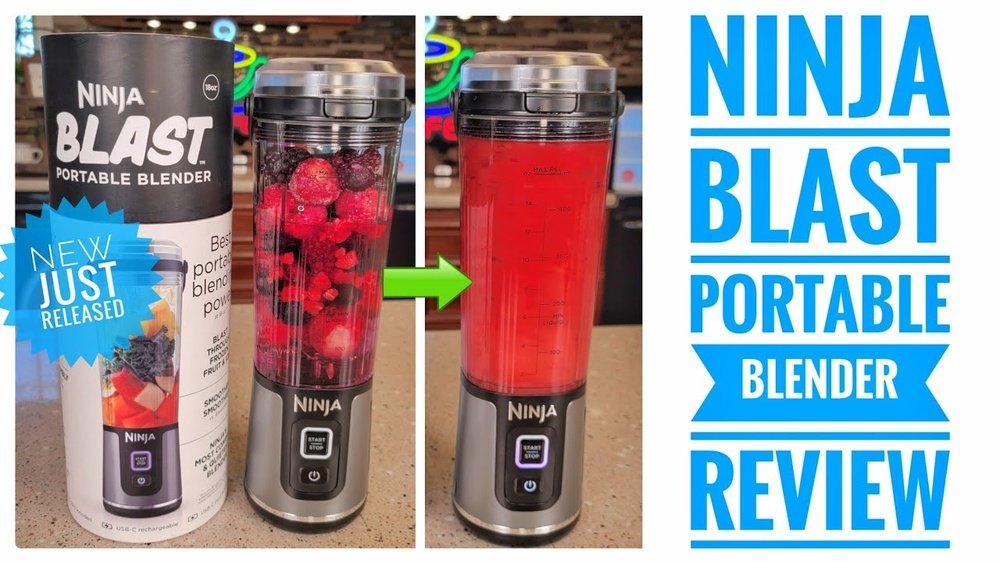
- Ninja Blast Portable Blender
- Ninja Cordless System
- Ninja Foodi Power Nutri Duo (Cordless Model)
- Ninja Fit Cordless Blender
Each has different battery specifications, charging ports (usually USB-C or proprietary pins), and charging times. If you’re unsure which model you have, check the bottom or the user manual—plug-in models do not have battery charging features.
Why Cordless Blenders Are Popular
Cordless blenders are designed for people with active lifestyles. Imagine blending a smoothie at your desk, in your car, or out on a picnic. They’re also helpful for small kitchens with limited outlets. The trade-off is that battery-powered motors are less powerful than traditional plug-in versions, but they offer enough speed for common tasks like smoothies, shakes, and purees.
Standard Charging Times: What To Expect
How long does a Ninja Blender take to charge? The answer depends on the model, battery capacity, and charger type. Most Ninja cordless blenders take between 2 to 4 hours for a full charge from empty.
Charging Times By Model
Here’s a quick look at the average charging times for popular models:
| Ninja Blender Model | Battery Capacity | Typical Charging Time | Charging Port |
|---|---|---|---|
| Ninja Blast Portable Blender | 4000 mAh | ~2 hours | USB-C |
| Ninja Cordless System | 2000 mAh | ~2.5 hours | Proprietary |
| Ninja Foodi Power Nutri Duo (Cordless) | 2600 mAh | ~3 hours | USB-C |
| Ninja Fit Cordless Blender | 2500 mAh | ~2.5 hours | USB-C |
These numbers are based on manufacturer data and real-world tests. Keep in mind that your charging time may vary a bit due to temperature, battery age, and charger quality.
What Affects Charging Time?
Several factors can change how fast your Ninja Blender charges:
- Charger Output: Higher-wattage USB adapters (e.g., 2A vs. 1A) can charge faster.
- Battery Health: Older batteries may take longer to charge.
- Room Temperature: Cold or hot conditions can slow down charging.
- Starting Charge Level: If the battery isn’t fully drained, it will charge faster to 100%.
Non-obvious insight: If you use a low-quality USB cable or an adapter with less power, your blender may take much longer to charge than the stated time. Always use the cable and adapter provided by Ninja or a high-quality third-party option.
How To Charge Your Ninja Blender Safely
Charging a battery-powered blender is simple, but following a few steps ensures safety and best performance. Here’s a step-by-step guide:
- Check the port: Make sure your model uses USB-C or a specific charging pin.
- Plug in with the right charger: Use the supplied adapter or a compatible one with the correct output (usually 5V/2A).
- Connect to power: Plug into a wall outlet, not a laptop or power bank, for fastest charging.
- Look for charging light: Most models show a steady or blinking LED while charging.
- Wait for full charge: The indicator will change (often turns solid or off) when ready.
- Unplug: Disconnect once charged to avoid overcharging.
Never try to use your Ninja Blender while it’s charging. Most models have a safety lockout that prevents operation during charging, which protects both you and the battery.
Safety Tips
- Avoid water: Never charge the blender near sinks or wet surfaces.
- Ventilation: Charge in a cool, dry place.
- Don’t overcharge: Unplug once fully charged; leaving it plugged in for days can reduce battery life over time.
- Inspect cables: Replace damaged cords immediately to avoid fire or shock risk.
How Long Does The Battery Last After Charging?
Charging time is only part of the story. Most people want to know: “How many blends do I get from one charge?”
Typical Usage Per Charge
Ninja’s cordless blenders are built for “on-the-go” use, not heavy-duty meal prep. Here’s what you can expect on a full charge:
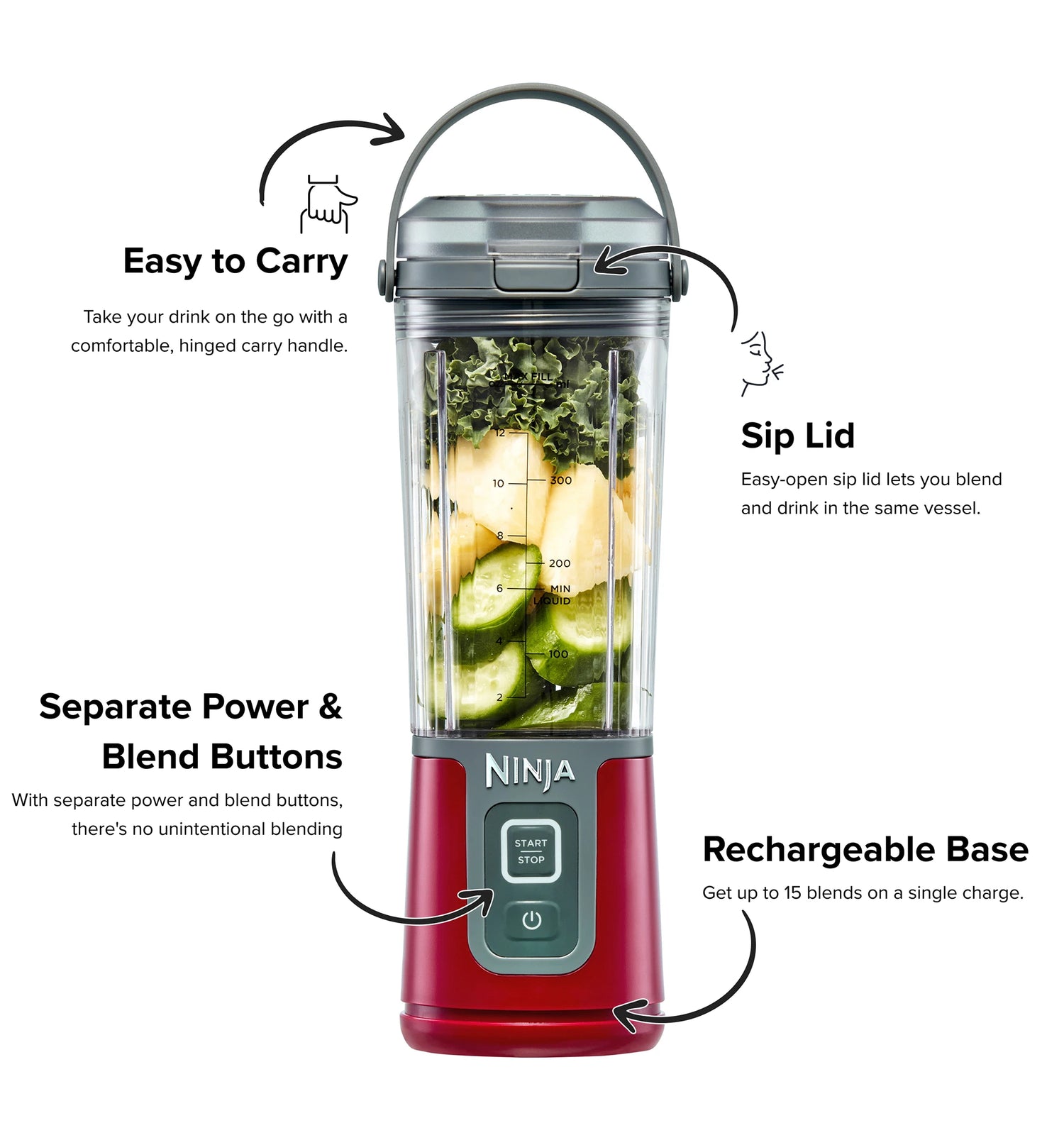
- Ninja Blast: Up to 15 blends (16-ounce smoothies)
- Ninja Cordless System: 10–12 blends
- Ninja Foodi Power Nutri Duo (Cordless): 10–12 blends
- Ninja Fit Cordless: 10 blends
A “blend” usually means a 30-second cycle blending a basic smoothie or shake. Heavier loads (like thick nut butters or frozen fruit) may reduce the total number of cycles.
Factors That Affect Battery Life
- Ingredients: Harder foods drain the battery faster.
- Batch Size: Blending larger amounts uses more power.
- Temperature: Cold batteries (e.g., left in a car in winter) perform less efficiently.
- Motor Speed: Using “high” or “pulse” modes uses more energy.
Non-obvious insight: Charging your blender before the battery is fully empty can help extend its overall lifespan. Lithium-ion batteries last longer when kept between 20% and 80% charge.

Credit: www.amazon.com
Charging Ports And Power Sources Explained
Understanding the differences between charging ports and adapters can help you avoid common mistakes and get the fastest charge.
Types Of Charging Ports
Most modern Ninja cordless blenders use USB-C ports. Some older or larger models may use a round, proprietary pin. USB-C is the most convenient, as you can use common phone or tablet chargers.
Wall Adapter Vs. Usb Port
For best results, always use a wall adapter with at least 2A (2000mA) output. Charging from a computer USB port or a low-power power bank can be much slower—sometimes double the time.
| Power Source | Typical Output | Charging Speed |
|---|---|---|
| Wall Adapter (2A) | 5V/2A (10W) | Fast (2–3 hours) |
| Computer USB Port | 5V/0.5A–1A | Slow (4+ hours) |
| Power Bank (2A) | 5V/2A | Fast (2–3 hours) |
| Car Charger (1A) | 5V/1A | Medium (3–4 hours) |
Non-obvious insight: Some “smart” USB chargers reduce power if they detect a device not using much energy. If your blender charges slowly, try a different adapter.
Common Charging Problems (and How To Fix Them)
Even the best cordless blenders can run into problems with charging. Here are the most common issues and what you can do:
1. Blender Won’t Charge At All
- Check cable and adapter: Try a different USB cable and wall adapter.
- Inspect the port: Clean out any debris with a dry toothpick.
- Reset the blender: Some models have a tiny reset button on the bottom—hold for 10 seconds.
- Try a new outlet: Sometimes the wall socket is the problem.
2. Charging Light Never Turns On
- Loose connection: Make sure the cable is inserted fully.
- Battery issue: If the blender is older, the battery may need replacement.
3. Charges Too Slowly
- Low-power charger: Use a 2A adapter.
- High temperature: Move to a cooler room.
4. Blender Stops Working After A Few Blends
- Battery is old: Lithium-ion batteries wear out over time.
- Heavy loads: Try blending smaller batches.
If your Ninja Blender is still under warranty, contact Ninja customer support for troubleshooting or battery replacement.
How To Maximize Battery Life
You can make your blender’s battery last longer—both per charge and over its lifetime—with a few simple habits:
- Charge before empty: Don’t wait until the battery is 0%.
- Store at room temperature: Avoid leaving in hot cars or freezing rooms.
- Use the right charger: Stick to 2A wall adapters.
- Clean contacts: Wipe the charging port with a dry cloth every few weeks.
- Avoid overcharging: Unplug once the light shows full.
For seasonal users (e. g. , summer only), charge the blender to 50% before storing for months. This helps prevent battery damage.
Charging Vs. Using While Plugged In
A common question: “Can I blend while my Ninja Blender is charging?” For almost all cordless Ninja models, the answer is no. The safety lockout prevents operation during charging to avoid overheating or battery damage.
If you need to make many batches, consider a plug-in Ninja Blender for unlimited blending power.
How Ninja Blender Charging Compares To Competitors
How does Ninja stack up against other popular portable blenders like NutriBullet Go, BlendJet 2, or PopBabies?
| Brand & Model | Battery Capacity | Charging Time | Typical Blends Per Charge |
|---|---|---|---|
| Ninja Blast | 4000 mAh | 2 hours | 15 |
| NutriBullet Go | 2200 mAh | 3 hours | 20 |
| BlendJet 2 | 4000 mAh | 1.5 hours | 15 |
| PopBabies | 5200 mAh | 3–5 hours | 20 |
Ninja’s charging time is competitive, especially given its battery size and blend power. The BlendJet 2 is a bit faster, but Ninja offers similar real-world performance.
Fast Charging: Is It Available?
Right now, Ninja Blender models do not offer “fast charging” like you might see on smartphones (where a battery goes from 0 to 100% in under an hour). This is because lithium-ion batteries need slower charging to stay safe and last longer.
- Standard charging: 2–3 hours for most models.
- No fast charging: Using a higher-wattage adapter won’t speed up charging and could damage the battery.
If you’re in a rush, most Ninja blenders will let you use one short blend after about 10–20 minutes of charging, but a full charge is always best for battery life.
How To Tell If Your Ninja Blender Is Fully Charged
Most cordless Ninja blenders use a simple LED system to show charging status. Here’s how to read it:
- Blinking light: Charging in progress.
- Solid light: Fully charged.
- No light: Not charging or battery is dead.
Check your user manual for the exact meanings—some models have multiple colors (e. g. , red for low, green for full). Don’t rely on memory; always look at the indicator before unplugging.
Non-obvious insight: If the light goes out suddenly during charging, it could mean the battery has a protection circuit that needs to be reset. Unplug and plug back in to resume charging.
Charging Best Practices For Busy Lifestyles
If you use your Ninja Blender on the go—at work, school, or the gym—plan your charging routine:
- Charge overnight: Plug in before bed for a full charge by morning.
- Keep a spare cable: Store a USB-C cable in your bag or car.
- Use power banks: For long trips, a 10,000 mAh power bank can recharge your blender several times.
Pro tip: If you blend multiple times a day, top up the charge at lunchtime to avoid running out.
What To Do If Your Blender Won’t Hold A Charge
If your blender’s battery drains quickly or won’t charge at all, try these steps before replacing it:
- Inspect for damage: Check the cable, port, and battery compartment.
- Clean contacts: Dust and dirt can block charging.
- Try a new charger: Some wall adapters wear out.
- Update firmware: Some models can be updated via the Ninja app.
If the battery is more than 2 years old, it may be time for a replacement. Ninja’s batteries are not always user-replaceable—contact support for options.
Environmental Impact Of Charging And Battery Disposal
Lithium-ion batteries are powerful, but they need careful disposal. When your Ninja Blender battery reaches the end of its life:
- Do not throw in trash: Batteries can leak chemicals.
- Recycle properly: Find a local battery recycling center.
- Follow Ninja’s instructions: Some models allow battery removal, others require professional service.
Reducing your environmental impact:
- Charge efficiently: Don’t leave the blender plugged in for days.
- Extend battery life: Use best practices to reduce waste.
For more information on lithium-ion battery recycling, see the EPA’s guidelines at EPA Battery Recycling.
Credit: ninjakitchen.com.au
Is It Safe To Leave A Ninja Blender Charging Overnight?
Most modern Ninja blenders include overcharge protection circuits that stop charging automatically. However, best practice is to unplug once the indicator shows full. Long-term, leaving any lithium-ion device plugged in 24/7 can reduce battery lifespan.
If you forget and leave it charging overnight once in a while, it’s not likely to cause damage. Just avoid making it a habit.
Tips For Faster And More Reliable Charging
A few extra steps can make charging easier and more consistent:
- Keep the charging port clean: Lint or crumbs can slow charging or block it entirely.
- Use the original charger: Third-party cables and adapters may not deliver the right power.
- Avoid extreme temperatures: Don’t charge in freezing cold or direct sunlight.
- Check for firmware updates: Some Ninja blenders can fix charging bugs with a software update.
How To Troubleshoot Specific Charging Error Codes
Some premium Ninja blenders display error codes or different LED patterns if there’s a problem. Here’s what they mean:
- Red blinking light: Battery or charging issue.
- Alternating red/green: Overheating—let the blender cool before charging.
- No lights: Battery may be fully drained or defective.
Consult your user manual or Ninja’s support website for specific codes for your model.
Charging Myths And Misunderstandings
It’s easy to find conflicting advice online about charging portable blenders. Let’s clear up some common myths:
- Myth: “You must always fully drain the battery before charging.”
- Fact: Lithium-ion batteries prefer partial charges, not full drains.
- Myth: “Higher-wattage adapters charge faster.”
- Fact: The blender limits input to a safe level—using a 10W or 20W adapter won’t speed things up.
- Myth: “Leaving it plugged in overnight will explode the battery.”
- Fact: Overcharge protection makes this very unlikely, but unplugging is still best for long life.
- Myth: “I can use any USB cable.”
- Fact: Cheap cables often have thin wires and slow charging—use high-quality cables.

Credit: www.ninjakitchensa.com
User Experiences: Real-world Charging Stories
People who use Ninja cordless blenders every day often share similar feedback:
- Commuters love blending shakes on the train or in the car, but remind others to charge at home for reliable performance.
- Office workers keep a spare USB cable at their desks, topping up before lunch.
- Students use power banks between classes; most get a full week of smoothie breaks on one charge.
One user reported that switching from a cheap phone charger to the original Ninja adapter cut their charging time by 40%. Another discovered a slow charge was caused by lint in the USB-C port—cleaning it fixed the issue instantly.
How Charging Affects Warranty And Repairs
If your Ninja Blender is under warranty (usually 1 year), using non-approved chargers or trying to open the battery compartment yourself can void coverage. Always follow the official instructions for charging and troubleshooting.
If your blender’s battery fails within the warranty period, contact Ninja for a replacement. Out-of-warranty repairs may cost more than a new blender, so consider your options.
Preparing For Travel: Charging On The Go
Travelers appreciate the convenience of cordless blenders. Here are some tips for staying powered up:
- Charge before leaving: Don’t rely on airport outlets, which are often crowded or slow.
- Pack a spare cable and adapter: International outlets may require a plug converter.
- Power banks: A high-capacity bank (10,000 mAh or more) can recharge your blender several times.
Remember: Airlines may have rules about lithium-ion batteries in checked luggage—carry your blender in your hand luggage and check airline policies.
Advanced Tips: Get The Most From Your Ninja Blender Battery
- Partial charging is OK: Unlike old nickel batteries, lithium-ion batteries do not develop a “memory.” Topping up is fine.
- If storing for months: Charge to 50% and store in a cool, dry place.
- Avoid deep discharge: Try not to let the battery reach 0%—this can stress the cells.
- Replace cables regularly: Worn cables can cause slow or unreliable charging.
- Update software: If your model is app-connected, check for firmware fixes.
Frequently Asked Questions
How Long Does It Take To Fully Charge A Ninja Blender?
Most Ninja cordless blenders take about 2 to 3 hours for a full charge. The exact time depends on the model, battery size, and the wall adapter you use. Always use a high-quality, 2A charger for the fastest results.
Can I Use My Ninja Blender While It’s Charging?
No. Ninja’s cordless blenders include a safety lockout that prevents use during charging. This protects the battery and motor from overheating and damage.
How Many Blends Can I Make On A Single Charge?
On average, you can expect 10 to 15 blends per full charge, depending on the model and what you’re blending. Softer ingredients and smaller batches will give you more cycles.
What Should I Do If My Ninja Blender Won’t Charge?
First, check the cable, adapter, and charging port for damage or debris. Try a different charger and outlet. If the problem continues, contact Ninja support—your battery may need service or replacement.
Is It Safe To Leave My Ninja Blender Plugged In Overnight?
Occasionally leaving your blender plugged in overnight is safe, thanks to built-in overcharge protection. For the longest battery life, unplug once the battery is full and avoid leaving it on the charger for days.
A fully charged Ninja Blender gives you flexibility and power wherever you go. By understanding charging times, best practices, and troubleshooting, you can enjoy reliable performance—smoothies, shakes, and more—anytime, anywhere. If you’re ready to explore more about how batteries work or need recycling resources, check out the EPA’s battery recycling guide for trustworthy advice.