How To Chop With Ninja Blender: Quick and Easy Guide
Chopping food is a basic kitchen skill, but it can be time-consuming and messy. Many home cooks are searching for ways to make chopping faster, easier, and safer. The Ninja Blender is famous for blending smoothies, but it can also help you chop vegetables, fruits, nuts, and more in seconds. If you’ve ever wondered how to chop with a Ninja Blender without making everything mushy, you’re in the right place. This guide will show you how to use your Ninja Blender for chopping, give practical tips, and share expert advice so you can confidently prepare your favorite recipes.
Why Use A Ninja Blender For Chopping?
Chopping with a Ninja Blender is not just about speed. It’s about saving time, reducing effort, and keeping your kitchen cleaner. Unlike traditional knives, a Ninja Blender can chop multiple ingredients at once, making meal prep much faster.
You can chop onions without tears, dice carrots evenly, and prepare salsa in minutes. The Ninja’s sharp blades and powerful motor handle tough ingredients like nuts and ice. Many Ninja models offer a “pulse” function, which gives you control so your food is chopped, not pureed.
Another benefit is safety. The blender keeps your hands away from sharp blades. This is helpful for beginners and for people who want to avoid accidents.
Most people think of blenders for smoothies, but the Ninja is designed to handle much more. With the right settings, you can achieve the texture you want—from coarse chunks for salads to fine dices for soups.
Understanding Your Ninja Blender
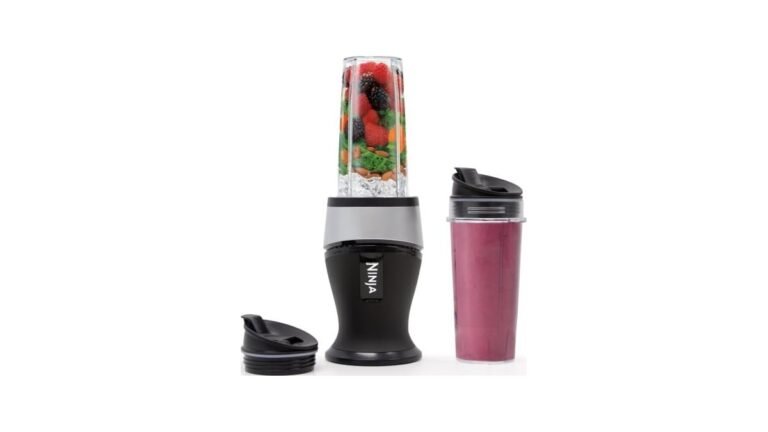
Before you start chopping, it’s important to know your Ninja Blender model and its features. Ninja makes several types, including countertop blenders, food processors, and personal blenders.
Common Ninja Blender Types
- Ninja Professional Blender
- Ninja Foodi Power Nutri Duo
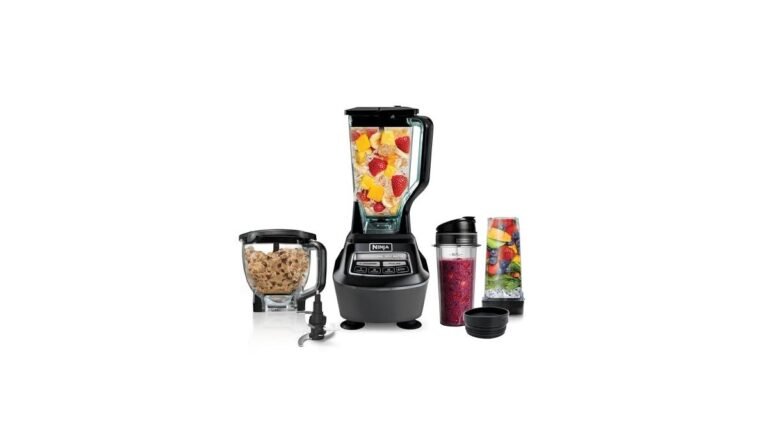
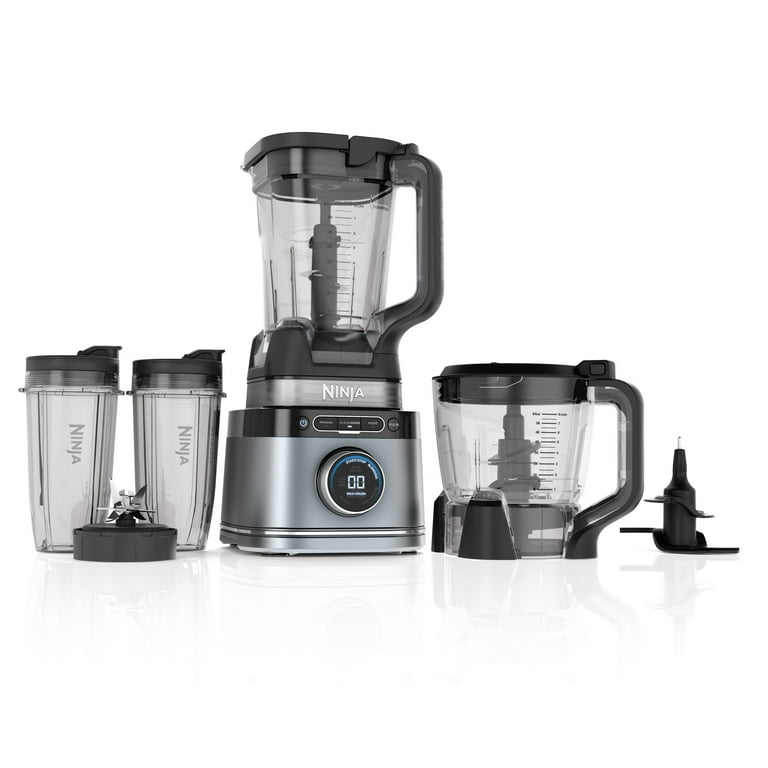
- Ninja Mega Kitchen System
- Ninja Compact Food Processor
Each model has different capacities, blade shapes, and controls. Some have separate attachments for chopping, while others use the main jar.
Key Features For Chopping
- Pulse Function: This lets you chop in short bursts, so you control the size of the pieces.
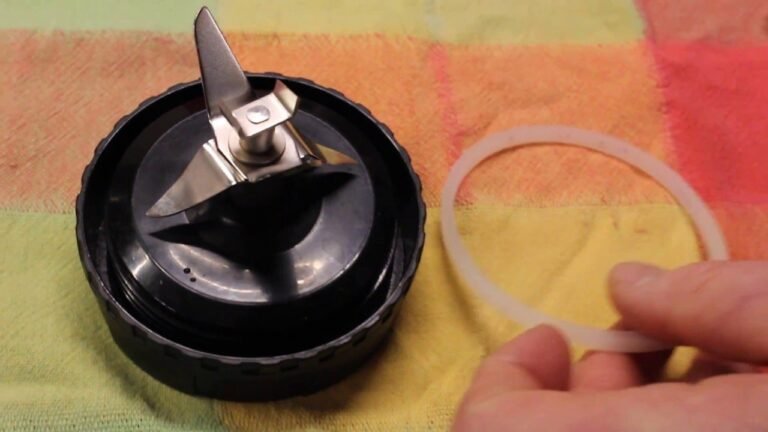
- Stacked Blades: Some Ninja blenders have stacked blades that reach different levels for even chopping.
- Multiple Speeds: Allows you to choose how fast the blades spin.
- Chopping Bowl/Processor Attachment: Some models include a special bowl for chopping that works better than the regular pitcher.
| Model | Capacity | Best for Chopping | Pulse Function |
|---|---|---|---|
| Ninja Professional Blender | 72 oz | Vegetables, fruits | Yes |
| Ninja Mega Kitchen System | 64 oz (Processor) | Meats, nuts, dough | Yes |
| Ninja Foodi Power Nutri Duo | 24 oz | Small batches, sauces | Yes |
| Ninja Compact Food Processor | 48 oz | Onions, garlic, herbs | Yes |
Knowing your model helps you decide how much food to add, what blade to use, and which setting works best.

Credit: www.amazon.com
Preparing Ingredients For Chopping
Chopping with a Ninja Blender is simple, but preparation matters. If you skip proper prep, you can get uneven results or jam the blender.
Step-by-step Preparation
- Wash and dry all ingredients. Wet produce can stick to the sides and not chop evenly.
- Peel and trim vegetables as needed. Remove skins, stems, or pits.
- Cut into smaller chunks. For most blenders, pieces should be about 1–2 inches. This helps the blades grab and chop everything evenly.
- Remove seeds or cores if needed. For example, core apples or remove seeds from peppers.
- Don’t overload. Fill the jar only halfway for best chopping. Too many ingredients can block the blades.
Some beginners forget to cut ingredients into smaller pieces. This is a common mistake. Large chunks can get stuck or make the blender work too hard.
How To Chop With Ninja Blender: Step-by-step Guide
Let’s break down the process of chopping using your Ninja Blender. These steps work for vegetables, fruits, nuts, herbs, and even cooked meats.
1. Assemble The Blender
- Place the chopping blade or stacked blade in the jar.
- Attach the jar to the base securely.
2. Add Ingredients
- Place your prepped ingredients in the jar.
- Don’t fill past the maximum line.
- For dry ingredients, add a small amount at a time.
3. Secure The Lid
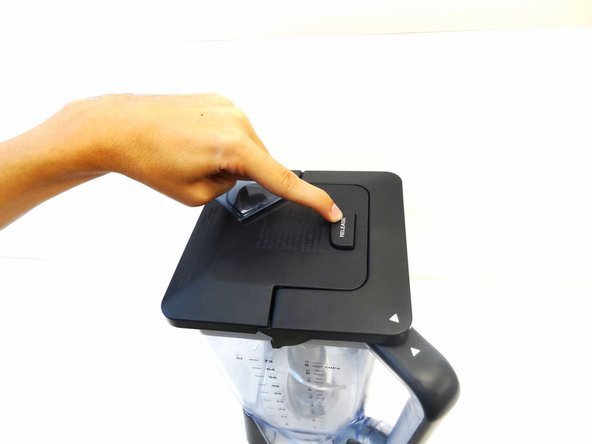
- Make sure the lid is tightly locked.
- Some models will not turn on unless the lid is secured.
4. Select The Right Setting
- Use the Pulse function for chopping. Press and release in short bursts.
- Avoid “blend” or “liquefy” settings; these are for smooth textures.
5. Check The Texture
- Stop after a few pulses and check the results.
- If needed, stir or shake the jar to move pieces closer to the blades.
- Continue pulsing until you reach your desired size.
6. Remove And Use
- Unlock the jar and remove the chopped food.
- For sticky ingredients, use a spatula to scrape out.
Practical Example: Chopping Onions
Suppose you want to chop onions for salsa. Start by peeling and cutting the onion into quarters. Place the pieces in the blender, pulse 4–5 times, check the texture, and pulse again if needed. You’ll get evenly chopped onions without tears.
Tips For Perfect Chopping Results
Even with the right steps, some extra tips help you get the best results.
- Use short pulses. This prevents over-processing and keeps pieces chunky.
- Don’t add too much at once. Blenders work best in small batches.
- Alternate soft and hard ingredients. For mixed recipes, layer soft veggies (like tomatoes) below harder ones (like carrots).
- Clean blades and jar regularly. Residue can affect performance.
- If chopping nuts, use very short pulses to avoid making nut butter.
- For herbs, dry them well before chopping. Wet herbs can turn into paste.
- Watch blade speed. High speed can puree instead of chop.
- If you want coarse chunks, pulse fewer times. For finer pieces, pulse more.
Many beginners skip the step of checking between pulses. This can lead to over-chopping. Always check after a few pulses, especially when you’re learning.
Common Mistakes And How To Avoid Them
Chopping with a Ninja Blender is easy, but some mistakes can ruin your results or damage the machine.
Typical Errors
- Overfilling the jar. This makes ingredients stick to the sides and not chop evenly.
- Using the wrong setting. “Blend” is for liquids, not chopping.
- Not prepping ingredients. Large or hard pieces can jam the blades.
- Forgetting to dry ingredients. Wet food sticks and gets mushy.
- Not checking after pulses. It’s easy to over-process and get puree instead of chunks.
How To Fix Them
- Always use the pulse function for chopping.
- Cut food into small pieces before adding.
- Fill only halfway.
- Dry all ingredients thoroughly.
- Check after every 3–4 pulses.
| Mistake | Result | Solution |
|---|---|---|
| Overfilling | Uneven chopping | Work in small batches |
| Wrong setting | Puree instead of chunks | Use pulse mode |
| Wet ingredients | Mushy texture | Dry before chopping |
| Large pieces | Blade jams | Cut into smaller chunks |
| No texture check | Over-chopped food | Check after each pulse |
Credit: www.walmart.com
Chopping Different Foods With Ninja Blender
Your Ninja Blender can chop many types of food. Each ingredient needs a slightly different approach for best results.
Vegetables
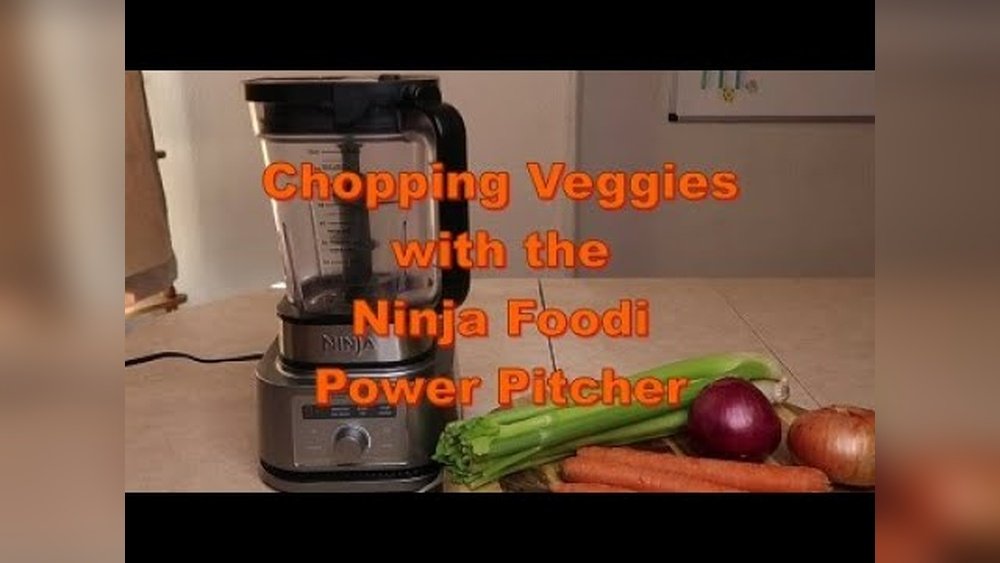
- Onions, carrots, celery: Cut into 1-inch pieces, pulse 4–6 times.
- Tomatoes: Use short pulses, check texture often.
- Potatoes: Peel and cube before chopping.
Fruits
- Apples, pears: Core and cut into chunks, pulse 3–5 times.
- Berries: Use brief pulses, avoid over-chopping.
Nuts
- Almonds, walnuts: Add a small amount, pulse 2–4 times for coarse pieces.
- Peanuts: Very short pulses prevent turning into peanut butter.
Herbs
- Parsley, cilantro: Dry completely, pulse 2–3 times.
- Basil: Use small batches for best control.
Cooked Meats
- Chicken, beef: Cube before adding, pulse 2–5 times depending on desired texture.
Cheese
- Hard cheese: Cut into cubes, pulse 4–6 times.
- Soft cheese: May stick to blades; use brief pulses.
Comparing Chopping With Ninja Blender Vs Other Methods
How does using a Ninja Blender compare to traditional chopping tools? Here’s a quick comparison.
| Method | Speed | Safety | Consistency | Effort |
|---|---|---|---|---|
| Knife | Slow | Low | Medium | High |
| Food Processor | Fast | High | High | Low |
| Ninja Blender | Very Fast | High | High | Low |
| Mandoline | Medium | Medium | High | Medium |
Ninja Blender is not only fast but also safer and more consistent than knives. It’s less effort and can handle tougher foods.
Cleaning And Maintenance Tips
A clean blender gives better results and lasts longer. Here’s how to keep your Ninja Blender in top shape after chopping.
- Unplug before cleaning. Always disconnect for safety.
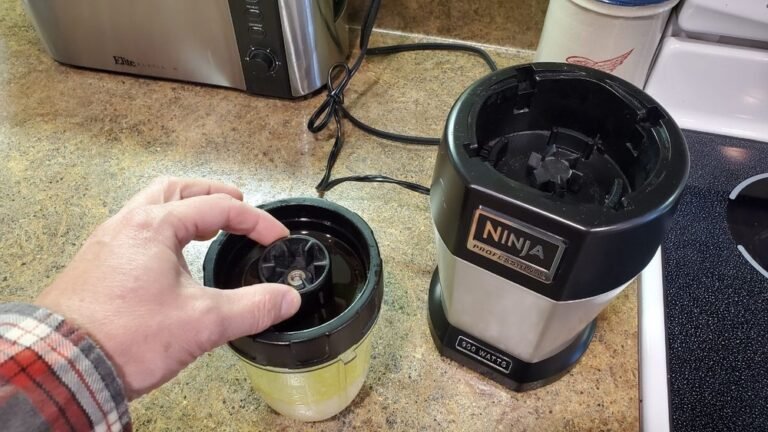
- Remove blades carefully. Blades are sharp—handle with caution.
- Wash jar, lid, and blades with warm soapy water.
- Rinse and dry all parts before storing.
- Avoid harsh scrubbers—they can scratch plastic.
- For stuck food, soak jar in warm water for 10 minutes.
- Check seals and gaskets for residue.
- Clean after each use to prevent odors.
Some beginners miss cleaning the blade base, where food can hide. Always check under the blades for stuck bits.
Recipes You Can Make With Chopped Ingredients
Chopping with a Ninja Blender opens up many recipe possibilities. Here are a few ideas:
Salsa
- Ingredients: Tomatoes, onion, cilantro, jalapeño, lime juice, salt.
- Steps: Prep ingredients, add to blender, pulse 4–6 times.
- Tip: Check after each pulse for chunkiness.
Vegetable Stir-fry
- Ingredients: Bell peppers, carrots, broccoli, onion.
- Steps: Cut into chunks, pulse in blender, stir-fry in pan.
Nut Crumble
- Ingredients: Almonds, walnuts, oats.
- Steps: Pulse nuts 2–3 times, mix with oats for topping.
Chicken Salad
- Ingredients: Cooked chicken, celery, onion, mayonnaise.
- Steps: Cube chicken, pulse with veggies, mix with mayo.
Herb Pesto
- Ingredients: Basil, garlic, olive oil, parmesan.
- Steps: Dry herbs, pulse with garlic and cheese, add oil.
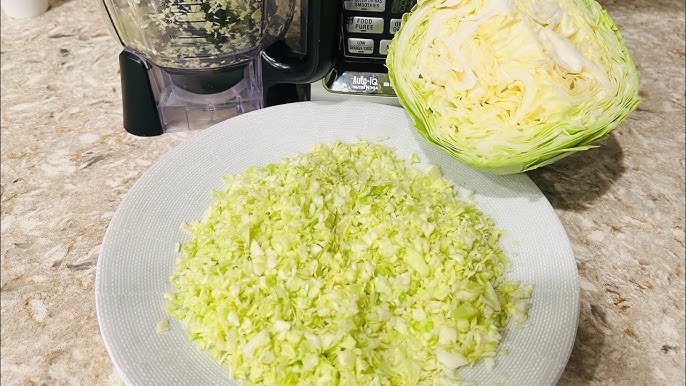
Quick Coleslaw
- Ingredients: Cabbage, carrots, onion.
- Steps: Cut into chunks, pulse 4–5 times, mix with dressing.
These recipes show how chopped ingredients speed up cooking and give you fresh flavors.
Advanced Chopping Techniques
Once you master basic chopping, you can try advanced methods for even more control.
Layering Ingredients
Layer hard foods at the bottom, softer ones on top. This helps blades reach tough pieces first.
Multi-stage Chopping
Pulse hard ingredients first, then add soft ones. For example, chop carrots, then add tomatoes.
Using Ice For Texture
For salsa or salad, a few ice cubes can keep texture chunky. Pulse briefly and drain water after chopping.
Custom Blade Attachments
Some Ninja models offer special blades for different textures. Experiment to see which gives you the results you want.
Batch Processing
Chop in batches and combine later. This keeps texture consistent and prevents over-chopping.
Safety Tips For Chopping With Ninja Blender
Safety is important, especially when using powerful machines like the Ninja Blender.
- Keep hands away from blades. Always handle blades carefully.
- Never operate with lid off. The blender won’t work, but always check before pulsing.
- Unplug before cleaning or changing blades.
- Don’t force ingredients. If food jams, stop and stir rather than pushing down.
- Check for cracks in jar or lid before use.
- Supervise kids or beginners. The blender is safe, but accidents can happen.
Many accidents happen because people try to clean while the blender is plugged in. Always unplug first.
Troubleshooting: When Chopping Doesn’t Work
Sometimes, chopping doesn’t go as planned. Here’s how to fix common problems.
Blender Won’t Chop Evenly
- Try smaller batches.
- Cut ingredients smaller.
- Pulse instead of blend.
Food Sticks To Sides
- Stop and stir with a spatula.
- Add a little oil or water if recipe allows.
Over-chopped Ingredients
- Use fewer pulses.
- Check after every 2–3 pulses.
Blender Stops Working
- Check if jar and lid are locked.
- Look for jammed blades.
- Unplug, remove stuck food, and restart.
Motor Overheats
- Let the blender cool for 10 minutes.
- Avoid long blending sessions.
Most issues are simple to fix with the right approach.
Ninja Blender Chopping Vs Dedicated Food Processor
Many people wonder if a Ninja Blender can replace a food processor for chopping. Here’s a comparison.
| Device | Chopping Quality | Versatility | Ease of Use | Price |
|---|---|---|---|---|
| Ninja Blender | Very Good | High (blending, chopping, pureeing) | Easy | $$ |
| Food Processor | Excellent | Medium (chopping, slicing, grating) | Easy | $$$ |
Ninja Blender offers great chopping, but food processors may be slightly better for large batches or precision cuts. Still, for most home cooks, the Ninja Blender is enough.
Credit: www.youtube.com
Non-obvious Insights For Better Chopping
Many guides miss a few key ideas that can take your chopping to the next level.
- Temperature matters. Cold ingredients chop better. If your veggies are warm or soft, refrigerate them before chopping for better texture.
- Rest after chopping. Let chopped ingredients sit for 2–3 minutes. This helps flavors blend and makes them easier to mix into recipes.
- Chop similar foods together. Group similar textures for even results (e.g., onions and carrots, but not tomatoes and nuts).
- Use a timer. For batch processing, set a timer to avoid over-chopping.
- Adjust blade height. Some models let you move blades up or down; this controls chunk size.
Few beginners realize the importance of ingredient temperature or blade height. These small changes can make a big difference.
Frequently Asked Questions
How Do I Chop Onions Without Crying Using A Ninja Blender?
Chopping onions in a Ninja Blender keeps your hands and face away from the fumes. Peel and quarter the onion, place in the jar, and pulse 4–5 times. Quick processing reduces exposure to the chemicals that cause tears.
Can I Chop Meat In My Ninja Blender?
Yes, you can chop cooked or raw meat. Cut into small cubes, pulse a few times. For ground meat, pulse longer. Always clean the blender thoroughly after chopping meat to prevent contamination.
Why Does My Ninja Blender Puree Instead Of Chop?
This usually happens if you use the “blend” function or pulse too many times. Always use the pulse setting and check texture after every few pulses. Avoid adding too much food or liquid.
Is It Safe To Chop Hot Ingredients In A Ninja Blender?
No, it’s not recommended. Hot food can create pressure and damage the jar or lid. Let ingredients cool before chopping for safety and better results.
How Can I Get Consistent Chop Size With My Ninja Blender?
Prepare ingredients in similar-sized chunks, pulse in short bursts, and check texture often. For best results, use the chopping bowl or processor attachment if your model has one.
Final Thoughts
Chopping with a Ninja Blender is a practical way to save time and effort in the kitchen. With the right settings, careful preparation, and a few expert tips, you can chop vegetables, fruits, nuts, herbs, cheese, and even meat quickly and safely. The pulse function gives you control, and regular cleaning keeps your blender running smoothly. Whether you’re making salsa, salad, or nut crumbles, the Ninja Blender is a reliable tool for every home cook.
Remember, the key is not just speed, but also consistency and safety. Try different techniques, adjust settings, and experiment with recipes to make the most of your Ninja Blender. If you want to learn more about kitchen appliances and their features, check out Wikipedia’s Blender appliance page for additional information.
With these tips and insights, you’re ready to chop like a pro—fast, easy, and delicious every time.